

Creating interactive product demos can be time-consuming and technical. With Layerpath, an AI-powered platform, this process becomes simple and efficient.
Layerpath makes it easy to create, embed, and share interactive product tours, how-to guides, and promotional videos. The platform uses AI to generate captions and voiceovers in multiple languages. This means you can produce polished demos quickly and effectively. Customizable features allow you to match demos with your brand’s aesthetics, making your presentations more engaging and professional. With Layerpath, you can share your demos through public URLs or embed them on your website, and track engagement metrics to optimize your content. Ready to streamline your demo creation process? Check out the Layerpath Lifetime Deal here.
Introduction To Layerpath
Layerpath is a cutting-edge, AI-powered platform designed for creating interactive product demos. It enables users to craft, embed, and share product tours, guides, and promotional videos swiftly and effectively. This section will delve into what Layerpath is and its core value proposition.
What Is Layerpath?
Layerpath is an advanced platform that leverages artificial intelligence to streamline the creation of interactive product demos. Users can create follow-along tours, step-by-step screenshot guides, and demo videos all at once. This platform supports 20 languages, including Mandarin, Spanish, French, and Hindi, making it versatile for global use.
With Layerpath, users can generate captions and voiceovers, customize visual elements, and integrate brand kits. This ensures that each demo aligns with the company’s branding. Additionally, Layerpath offers various export options, such as PDFs, MP4s, or GIFs, enhancing the flexibility of content sharing.
Purpose And Value Proposition
The main purpose of Layerpath is to simplify and expedite the demo creation process using AI enhancements. This platform is designed to save time and resources while delivering professional-quality demos. Here are the key aspects of its value proposition:
- Time Efficiency: Quickly create and publish polished demos with minimal effort.
- Engagement: Enhance demos with AI-generated captions and voiceovers to provide meaningful context.
- Branding: Customize demos to match your brand’s aesthetics by uploading brand kits and editing visual elements.
- Analytics: Track the performance of your demos through engagement metrics, such as views and audience demographics.
Layerpath also provides various license tiers to cater to different user needs, from individual creators to large teams. Each tier includes a specific number of video exports, AI content credits, and voiceover credits, ensuring users can choose a plan that fits their requirements.
| License Tier | Price | Users | Video Exports/Month | AI Content Credits/Month | Voiceover Credits/Month |
|---|---|---|---|---|---|
| Tier 1 | $69 | 1 | 100 | 1,000 | 100 |
| Tier 2 | $159 | 3 | 300 | 5,000 | 400 |
| Tier 3 | $319 | 10 | 1,000 | 15,000 | 2,000 |
| Tier 4 | $569 | 30 | 3,000 | 45,000 | 6,000 |
Layerpath offers a 60-day money-back guarantee, providing users with a risk-free opportunity to explore its features. Once purchased, lifetime access is granted, eliminating the need for recurring payments. Users can also upgrade or downgrade their license tiers within 60 days of purchase, ensuring flexibility.
For more details and to purchase, visit the Layerpath page on AppSumo.
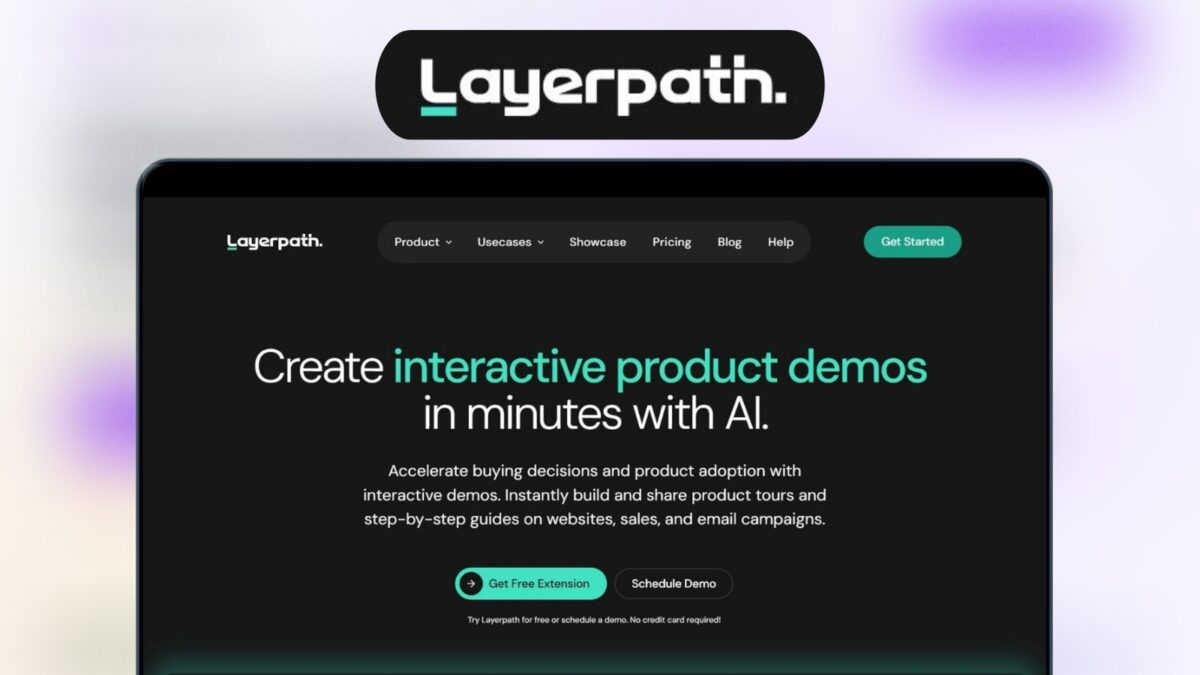
Credit: lifetimo.com
Key Features Of Layerpath
Layerpath is an AI-powered platform that helps you create interactive product demos, guides, and promotional videos. Its features enhance productivity and user engagement. Let’s explore the key features that make Layerpath a versatile tool.
Layerpath allows you to create multiple types of demos, including follow-along tours, step-by-step screenshot guides, and demo videos. The platform uses AI to generate captions and voiceovers in 20 languages, such as Mandarin, Spanish, French, and Hindi. This makes your demos more accessible and engaging to a global audience.
Layerpath offers a range of customizable templates. You can edit visual and interactive elements, upload your brand kits, and integrate lead forms. You can also add background music and adjust frame rates, ensuring your demos align with your brand’s aesthetics.
The platform is designed with a user-friendly interface. It simplifies the creation process, allowing even non-technical users to produce polished demos quickly. The intuitive layout guides you through each step, making the experience smooth and efficient.
Layerpath integrates seamlessly with popular tools, enhancing its functionality. You can embed demos on your website and share them via public URLs. This flexibility ensures you can reach your audience through multiple channels.
One of the standout features of Layerpath is its real-time analytics. You can track engagement metrics, including views and audience demographics. This data helps you understand how your demos are performing and optimize them for better engagement.
Interactive Ai Demos
Layerpath allows you to create interactive AI demos easily. This AI-powered platform helps you make product tours, how-to guides, and promotional videos. Create polished demos quickly with AI-generated captions and voiceovers.
How To Create Interactive Demos
Creating interactive demos with Layerpath is simple and efficient. Here’s a step-by-step guide:
- Sign Up: Register on the Layerpath platform.
- Choose Demo Type: Select from follow-along tours, step-by-step guides, or demo videos.
- Add Content: Upload screenshots or videos and let the AI generate captions and voiceovers.
- Customize: Edit visual elements, add brand kits, lead forms, background music, and adjust frame rates.
- Share: Share your demo via public URLs or embed it on your website.
- Track Analytics: Monitor engagement metrics like views and audience demographics.
Benefits For Developers And Users
Layerpath offers numerous benefits for both developers and users.
| Feature | Benefit |
|---|---|
| Multi-Demo Creation | Save time by creating various demo types simultaneously. |
| AI Enhancements | Generate captions and voiceovers in 20 languages for better accessibility. |
| Customization | Tailor demos to match brand aesthetics and add interactive elements. |
| Sharing and Analytics | Share demos easily and track engagement for optimization. |
| Export Options | Export demos as PDFs, MP4s, or GIFs for versatile use. |
These features ensure that both developers and users have a seamless experience with interactive demos.

Credit: www.youtube.com
Customizable Templates
The Layerpath platform offers a range of customizable templates to create interactive product demos. These templates streamline the creation process, ensuring users can produce professional-quality content quickly and efficiently. Let’s dive into the options and flexibility available with these templates.
Overview Of Template Options
Layerpath provides a variety of templates designed to cater to different types of demos and guides:
- Follow-Along Tours: Perfect for step-by-step product walkthroughs.
- Screenshot Guides: Ideal for detailed, visual instructions.
- Demo Videos: Best for engaging promotional and instructional videos.
Each template is designed to be user-friendly, allowing even beginners to create polished demos without prior experience.
Customization Flexibility And Ease
Layerpath’s templates offer extensive customization options to ensure your demos reflect your brand identity. Key features include:
- Visual and Interactive Element Editing: Easily modify visual components to suit your needs.
- Brand Kit Integration: Upload your brand’s logo, colors, and fonts for a consistent look.
- Lead Form Integration: Add forms to capture audience information directly from your demos.
- Background Music: Enhance your demos with background music for a professional touch.
- Frame Rate Adjustment: Customize the playback speed to suit different types of content.
The platform’s AI enhancements, such as generating captions and voiceovers in 20 languages, further simplify the customization process. This ensures your demos are accessible to a global audience.
To summarize, Layerpath’s customizable templates provide a versatile foundation for creating engaging and professional interactive demos. By leveraging the platform’s extensive customization features, users can produce content that aligns perfectly with their brand and marketing objectives.
User-friendly Interface
The User-Friendly Interface is one of the standout features of Layerpath. Whether you are a seasoned pro or a complete beginner, Layerpath ensures that creating interactive demos is a breeze. Below, we delve into the specific aspects that make this interface so accessible and easy to use.
Navigating The Dashboard
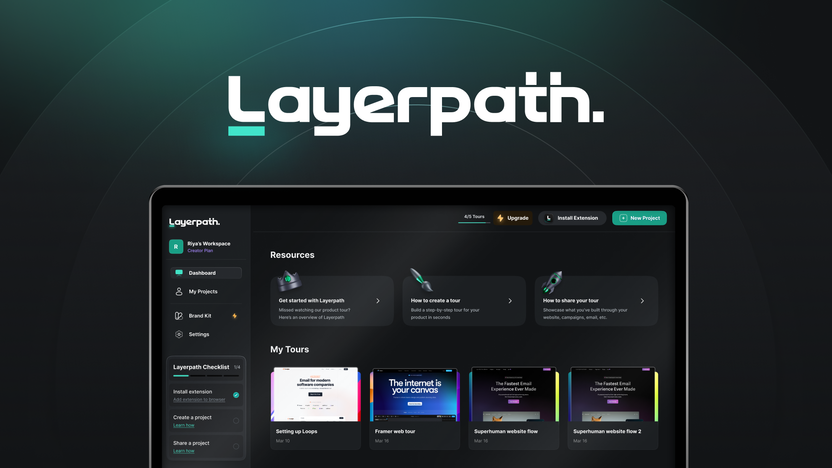
Upon logging in, users are greeted with a clean and intuitive dashboard. The layout is designed to minimize clutter and maximize efficiency. Key features are easily accessible from the main menu, allowing users to start creating demos with just a few clicks.
A prominent feature of the dashboard is the simplified navigation bar. This bar includes options for creating new demos, accessing saved projects, and managing account settings. Each section is clearly labeled, making it easy to find what you need without unnecessary searching.
| Feature | Description |
|---|---|
| Dashboard Layout | Simple and clutter-free with key features easily accessible. |
| Navigation Bar | Clearly labeled sections for easy access to tools and settings. |
Ease Of Use For Non-tech Users
Layerpath is designed with non-tech users in mind. The platform uses AI to automate many complex tasks, such as generating captions and voiceovers. This allows users to focus on the creative aspects of their demos without getting bogged down by technical details.
Creating a demo involves a straightforward process:
- Select the type of demo you want to create (e.g., follow-along tour, screenshot guide, or video).
- Upload your content or use Layerpath’s tools to capture screenshots and video clips.
- Customize your demo with captions, voiceovers, and interactive elements using the intuitive drag-and-drop editor.
- Preview your demo and make any necessary adjustments.
- Share your finished demo via public URL, embed it on your website, or export it in your preferred format (PDF, MP4, GIF).
The drag-and-drop editor is particularly user-friendly. Users can easily add, remove, or rearrange elements within their demos. Editing tools are straightforward and do not require advanced technical skills. This ensures that anyone, regardless of technical background, can create professional-quality demos quickly and efficiently.
Layerpath’s support for multiple languages also adds to its ease of use. Users can generate captions and voiceovers in 20 different languages, making the platform accessible to a global audience.
- AI Automation: Simplifies complex tasks.
- Drag-and-Drop Editor: Easy customization of demos.
- Multi-language Support: Captions and voiceovers in 20 languages.
Credit: appsumo.com
Integration With Popular Tools
Layerpath is not just about creating stunning interactive demos with AI. It also offers seamless integration with many popular tools. This makes it a versatile choice for professionals looking to enhance their product presentations.
Supported Integrations
Layerpath supports integration with various tools that you might already be using. These integrations include:
- CRM Tools: Connect with platforms like Salesforce and HubSpot to manage customer relationships efficiently.
- Email Marketing: Sync with Mailchimp and SendGrid for streamlined email campaigns.
- Analytics: Use Google Analytics to track engagement metrics directly from your demos.
- Project Management: Integrate with tools like Trello and Asana for better project coordination.
- Social Media: Share your interactive demos on platforms like LinkedIn, Facebook, and Twitter.
Each of these integrations ensures that Layerpath fits smoothly into your existing workflow, saving time and enhancing productivity.
How Integrations Enhance Functionality
Integrating Layerpath with your favorite tools brings numerous advantages:
- CRM Integrations: Automatically capture leads from your interactive demos and import them into your CRM. This keeps your sales pipeline updated.
- Email Marketing: Embed demos in your email campaigns to boost engagement. Track how recipients interact with your content.
- Analytics: Monitor viewer interactions and gather insights. Use this data to optimize future demos and marketing strategies.
- Project Management: Coordinate demo creation projects with your team. Assign tasks and track progress within your project management tool.
- Social Media: Increase your reach by sharing demos directly on social media. Engage your audience where they are most active.
These integrations make Layerpath a comprehensive solution for creating and sharing interactive demos. They enable you to leverage your existing tools to maximize the impact of your presentations.
The Layerpath Lifetime Deal offers an excellent opportunity to gain lifetime access to these powerful features. With seamless integrations, you can create, embed, and share compelling demos effortlessly.
Real-time Analytics
Layerpath provides real-time analytics to help users understand how their interactive demos are performing. This feature offers valuable insights that can guide improvements and enhancements.
Tracking User Engagement
With Layerpath, you can track how users interact with your demos. The platform offers detailed engagement metrics, such as:
- Number of views
- Audience demographics
- Click-through rates
- Time spent on each demo
These metrics allow you to identify which parts of your demo are most engaging. You can see what keeps your audience interested and what might need adjustment.
Leveraging Data For Improvement
The analytics data provided by Layerpath can be used to make informed decisions. Here’s how you can leverage this data:
- Identify high-performing demos and replicate their strategies.
- Understand audience preferences by analyzing demographics.
- Refine your content to increase engagement and retention.
- Adjust visual and interactive elements based on user feedback.
This data-driven approach ensures your demos are always improving and staying relevant to your audience’s needs.
In summary, Layerpath’s real-time analytics empower you to monitor and enhance your interactive demos effectively.
Pricing And Affordability
Layerpath offers a range of pricing options tailored to different needs. It provides lifetime access to an AI-powered platform for creating interactive demos. Let’s explore the details and benefits of these pricing plans.
Lifetime Deal Details
| License Tier | Price | Users | Video Exports/Month | AI Content Credits/Month | Voiceover Credits/Month |
|---|---|---|---|---|---|
| License Tier 1 | $69 (originally $588) | 1 user | 100 | 1,000 | 100 |
| License Tier 2 | $159 (originally $1,448) | 3 users | 300 | 5,000 | 400 |
| License Tier 3 | $319 (originally $4,340) | 10 users | 1,000 | 15,000 | 2,000 |
| License Tier 4 | $569 (originally $10,850) | 30 users | 3,000 | 45,000 | 6,000 |
Cost-benefit Analysis
License Tier 1: This tier costs $69, offering 1 user access, 100 video exports per month, 1,000 AI content credits, and 100 voiceover credits. This is ideal for individual users or small businesses.
License Tier 2: Priced at $159, this tier supports 3 users and includes 300 video exports per month, 5,000 AI content credits, and 400 voiceover credits. Suitable for growing teams.
License Tier 3: At $319, this tier provides access for 10 users, 1,000 video exports per month, 15,000 AI content credits, and 2,000 voiceover credits. Perfect for medium-sized companies.
License Tier 4: For $569, this comprehensive plan supports 30 users, 3,000 video exports per month, 45,000 AI content credits, and 6,000 voiceover credits. Designed for large organizations.
Each tier offers a substantial discount from the original price, making Layerpath an affordable option for creating interactive product demos. The 60-day money-back guarantee ensures users can try the platform risk-free.
Pros And Cons Of Layerpath
Layerpath is an AI-powered platform designed to create interactive product demos effortlessly. Below, we will delve into the advantages and disadvantages of using Layerpath to help you decide if it’s the right tool for you.
Advantages
- Multi-Demo Creation: Layerpath allows users to create follow-along tours, step-by-step screenshot guides, and demo videos simultaneously. This saves a significant amount of time.
- AI Enhancements: The platform generates captions and voiceovers in 20 languages, including Mandarin, Spanish, French, and Hindi. This feature helps in reaching a broader audience.
- Customization: Users can edit visual elements, upload brand kits, integrate lead forms, add background music, and adjust frame rates. This ensures the demos align with brand aesthetics.
- Sharing and Analytics: Demos can be shared via public URLs or embedded on websites. Users can track engagement metrics like views and audience demographics, providing valuable insights.
- Export Options: The platform supports exporting demos as PDFs, MP4s, or GIFs. This flexibility is beneficial for various use cases.
- Time Efficiency: Layerpath enables the quick creation and publication of professional demos, saving users time and effort.
Disadvantages
- Pricing: While Layerpath offers several pricing tiers, the costs can be high for small businesses or individual users, especially at higher tiers.
- Learning Curve: Despite its user-friendly interface, some users may face a learning curve when first starting out with the platform’s features.
- Limited Voiceover Credits: Lower-tier plans offer limited voiceover credits, which could be a constraint for users needing extensive voiceover work.
| Feature | License Tier 1 | License Tier 2 | License Tier 3 | License Tier 4 |
|---|---|---|---|---|
| Price | $69 | $159 | $319 | $569 |
| Users | 1 | 3 | 10 | 30 |
| Video Exports/Month | 100 | 300 | 1,000 | 3,000 |
| AI Content Credits/Month | 1,000 | 5,000 | 15,000 | 45,000 |
| Voiceover Credits/Month | 100 | 400 | 2,000 | 6,000 |
Recommendations For Ideal Users
Layerpath is a versatile tool, but it shines for certain users and use cases. Its AI-powered features and interactive demo creation capabilities make it a valuable asset. Below are the users who will benefit the most from Layerpath.
Who Should Use Layerpath?
Layerpath is ideal for:
- Product Managers: Need to create detailed product tours quickly.
- Marketers: Can produce promotional videos with ease.
- Sales Teams: Create engaging demos to showcase products.
- Educators: Develop how-to guides and instructional videos.
- Small Business Owners: Create professional content without a big budget.
Best Use Cases And Scenarios
Layerpath’s flexibility makes it suitable for various scenarios:
- Product Launches: Create interactive demos to highlight new features.
- Customer Onboarding: Develop step-by-step guides for new users.
- Training Sessions: Produce educational videos for staff training.
- Marketing Campaigns: Generate captivating promotional videos.
- Lead Generation: Embed demos on websites to capture leads.
Layerpath offers features like AI-generated captions and voiceovers in 20 languages, customization options, and export capabilities. These make it a valuable tool for diverse professional needs.
Frequently Asked Questions
What Is Layerpath?
Layerpath is a tool that uses AI to create interactive demos. It’s designed to enhance user engagement.
How Does Layerpath Work?
Layerpath uses AI to generate interactive demos. Users can easily create and customize these demos for their needs.
Can I Use Layerpath For Free?
Layerpath offers a lifetime deal, which can be more cost-effective. Check their pricing page for details.
Who Can Benefit From Layerpath?
Businesses, educators, and developers can benefit from Layerpath. It’s ideal for anyone needing interactive demos.
Conclusion
Layerpath offers a simple way to create interactive demos with AI. Its features save time and enhance engagement. You can customize demos to fit your brand. Analytics help you track performance and improve. Ready to create impressive demos? Check out Layerpath’s lifetime deal here. It’s a great tool for any business looking to streamline demo creation.