

Welcome to our detailed review of Rankspro, an all-in-one SEO tool. In this article, we will explain how Rankspro works and how it can help you improve your website’s SEO performance.
Credit: www.getapp.ie
Introduction to Rankspro
Rankspro is a powerful SEO tool designed to assist marketers, marketing agencies, and small businesses. It helps track keyword rankings, analyze competitors, audit sites, and evaluate backlinks. This tool automates many SEO tasks, making it easier to manage and improve your website’s search engine performance.

Credit: www.linkedin.com
Key Features of Rankspro
Rankspro offers a variety of features to enhance your SEO strategy. Let’s explore these features in detail:
Rank Tracking
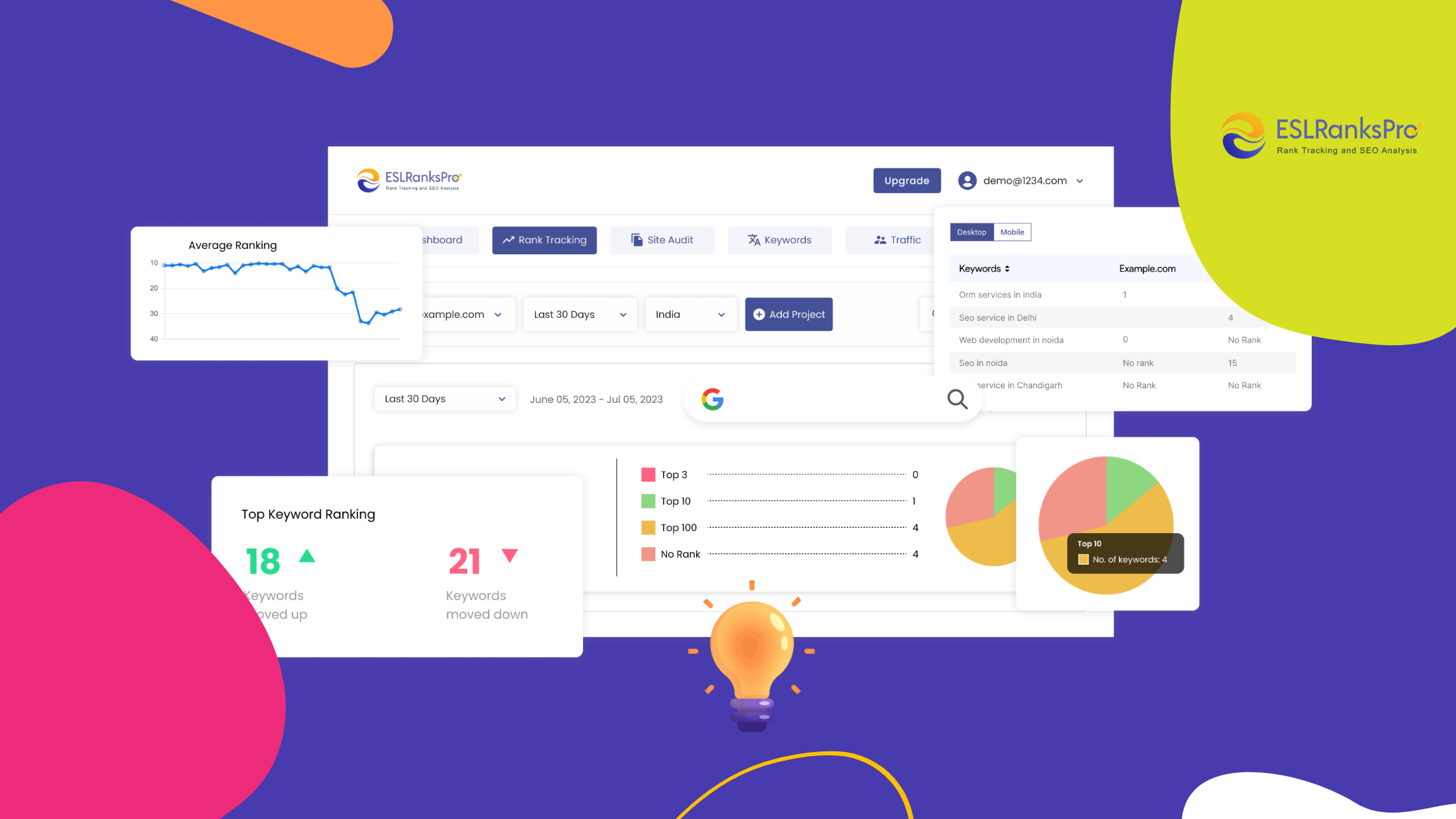
Rankspro allows you to track your website’s ranking across 150+ countries. You can monitor the daily ranking of multiple keywords and URLs simultaneously. The tool provides an average ranking for the last 30 days with graphical rank result data.
- Track keyword rankings daily
- Monitor rankings for both desktop and mobile versions
- Evaluate competitors’ rankings
Backlink Analysis
Backlink analysis is crucial for understanding your website’s authority. Rankspro helps you check the number of backlinks and referring domains. You can also compare your domain rating (DR) with those of your competitors. The tool provides a visualized chart of the backlink status for the past year.
- Analyze backlinks and referring domains
- Compare domain ratings with competitors
- Visualize new and lost referring domains
Competitor Analysis
Rankspro enables you to compare your ranking performance with competitors. You can find out which keywords your competitors are ranking well for and evaluate their monthly organic traffic. This helps you identify hidden keyword opportunities and gain insights on which keywords to add or update.
- Compare rankings with competitors
- Identify high-performing keywords
- Gain insights from competitors’ keyword performance
Site Audit
A thorough site audit helps identify issues affecting your website’s ranking. Rankspro conducts a complete site audit to find SEO errors and technical issues. The tool evaluates the load speed of your website pages and provides a visualized dashboard for better insight into your site’s technical SEO health.
- Identify SEO errors and technical issues
- Evaluate website page load speed
- Visualized dashboard for technical SEO health
Keyword Research
Keyword research is essential for optimizing your content. Rankspro makes keyword research easy by providing detailed information on targeted keywords. You can check the Cost-Per-Click (CPC), monthly search volume, and keyword difficulty levels. The tool also offers historical search volume data and new keyword ideas.
- Conduct detailed keyword research
- Evaluate CPC and search volume
- Get new keyword ideas and suggestions
How Rankspro Works
Now that we have explored the key features, let’s dive into how Rankspro works to improve your SEO strategy.
Step 1: Sign Up And Set Up Your Account
First, sign up for an account on the Rankspro website. After signing up, you can set up your account by entering your website’s details and target keywords.
Step 2: Track Your Keyword Rankings
Once your account is set up, you can start tracking your keyword rankings. Rankspro will automatically monitor the daily ranking of your keywords and provide graphical data for better understanding.
Step 3: Analyze Backlinks
Next, use the backlink analysis feature to check the number of backlinks and referring domains for your website. Compare your domain rating with competitors and visualize the backlink status over the past year.
Step 4: Conduct Competitor Analysis
Rankspro allows you to conduct a thorough competitor analysis. Find out which keywords your competitors are ranking well for and evaluate their monthly organic traffic. Use this information to improve your keyword strategy.
Step 5: Perform A Site Audit
Conduct a complete site audit to identify SEO errors and technical issues. Evaluate the load speed of your website pages and get a visualized dashboard for better insight into your site’s technical SEO health.
Step 6: Conduct Keyword Research
Finally, conduct detailed keyword research using Rankspro. Check the CPC, search volume, and difficulty levels of targeted keywords. Use the historical search volume data and new keyword ideas to optimize your content.
Benefits of Using Rankspro
Using Rankspro provides several benefits for SEO professionals, webmasters, and site owners. Here are some of the key benefits:
- Automates SEO tasks, saving time and effort
- Provides accurate and detailed data for better decision-making
- Helps improve website ranking and organic traffic
- Offers insights into competitors’ performance
- Identifies technical issues affecting your site’s ranking
Frequently Asked Questions
What Is Rankspro?
Rankspro is an all-in-one SEO tool for rank tracking, competitor analysis, and site audits.
How Does Rankspro Track Rankings?
Rankspro tracks daily rankings for multiple keywords and URLs on both desktop and mobile.
Can Rankspro Analyze Competitors?
Yes, Rankspro evaluates competitors’ rankings and keywords to find opportunities.
What Countries Does Rankspro Support?
Rankspro supports tracking across 150+ countries worldwide.
Conclusion
In conclusion, Rankspro is an all-in-one SEO tool that simplifies the process of managing and improving your website’s search engine performance. By automating tasks such as rank tracking, backlink analysis, competitor analysis, site audits, and keyword research, Rankspro helps SEO professionals and webmasters save time and make informed decisions.
If you are looking for a comprehensive SEO tool that provides accurate and detailed data, Rankspro is an excellent choice. Sign up today and start optimizing your website’s SEO performance with ease.
For more information, visit Rankspro.