

Having a user-friendly website is crucial today. It keeps visitors engaged and satisfied.
Improving site usability can significantly boost user experience and retention rates. Whether you run a business, blog, or e-commerce site, understanding how to make your site more navigable is essential. User-friendly websites attract more visitors and keep them coming back.
They reduce bounce rates and enhance overall satisfaction. In this post, we’ll explore key strategies to improve your site’s usability, ensuring your visitors enjoy a seamless experience. From simplifying navigation to optimizing mobile usability, these tips will help you create a site that meets user expectations and stands out in a crowded online space. Let’s dive in and make your website more user-friendly!
Simplify Navigation
Improving your website’s usability is crucial for retaining visitors. One key aspect is to simplify navigation. This makes it easier for users to find what they need quickly. Below, we will discuss two essential elements of simplified navigation: Clear Menu Labels and Logical Structure.
Clear Menu Labels
Having clear and concise menu labels is important. These labels guide users through your site. Use familiar terms that your audience understands. Avoid jargon and complex words. For example, instead of “Solutions,” use “Services.” Short, descriptive labels help users find information fast.
| Do | Don’t |
|---|---|
| Use simple words | Use jargon |
| Keep labels short | Make labels long |
| Be descriptive | Use vague terms |
Clear labels improve user experience. They reduce confusion. Users spend less time searching and more time engaging with your content.
Logical Structure
A logical structure means organizing your menu items in a way that makes sense. Group similar items together. Use a hierarchy to show relationships between pages. For instance, place “About Us” under “Company Information.”
- Home
- About Us
- Our Team
- Our History
- Services
- Contact
Think about the user’s journey. Place the most important items at the top. Use dropdown menus to keep your navigation clean. Logical structure helps users navigate easily. It also helps search engines understand your site better.
In summary, simplifying your site’s navigation is crucial. Clear menu labels and logical structure are essential. They improve user experience and site usability. Make your site easy to navigate. Your users will thank you.
Optimize Page Load Speed
Optimizing your website’s page load speed is crucial. A fast-loading site improves user experience and boosts search engine rankings. Slow-loading pages can frustrate visitors and increase bounce rates. To ensure your site loads quickly, focus on several key areas.
Compress Images
Images often take up a lot of space on your website. Compressing images reduces their file size without losing quality. This leads to faster loading times. Use tools like TinyPNG or JPEG-Optimizer. They help you compress images efficiently.
- Choose the right format: JPEG for photos, PNG for graphics.
- Use image compression tools.
- Consider lazy loading for images below the fold.
Minimize Http Requests
Each element on a webpage generates an HTTP request. The more requests, the slower the page loads. Reducing these requests speeds up your site.
- Combine multiple CSS files into one.
- Merge JavaScript files.
- Use CSS Sprites for icons and small graphics.
| Task | Description |
|---|---|
| Combine CSS Files | Reduces the number of requests by merging files. |
| Merge JavaScript Files | Speeds up the loading process by combining scripts. |
| Use CSS Sprites | Combines multiple images into one, reducing requests. |
By focusing on these areas, you can significantly improve your site’s load speed. This enhances user experience and boosts your SEO efforts.
Make It Mobile-friendly
Improving site usability is crucial for engaging visitors and retaining them. A key aspect is making your site mobile-friendly. Many users access the web through their smartphones. Ensuring your site is accessible and functional on all devices can lead to higher user satisfaction and increased engagement.
Responsive Design
Responsive design is essential for a mobile-friendly site. It allows your site to adapt to different screen sizes. This ensures that users have a good experience on both smartphones and tablets. A responsive design uses flexible grids and layouts. It also adjusts images and CSS media queries.
Consider the following tips for responsive design:
- Use a fluid grid layout.
- Ensure images are flexible.
- Apply CSS media queries to adapt styles for different devices.
Touch-friendly Elements
Touch-friendly elements enhance usability on mobile devices. Users navigate using their fingers. Buttons and links should be large enough to tap easily. Small elements can frustrate users. Make sure to provide adequate spacing between touch targets.
Here are some tips for touch-friendly elements:
| Element | Recommendation |
|---|---|
| Buttons | At least 44×44 pixels |
| Links | Include padding around text |
| Forms | Use large input fields |
By focusing on responsive design and touch-friendly elements, you can greatly improve your site’s usability. This will keep users happy and engaged.
Improve Readability
Improving readability is crucial for enhancing the user experience on your website. It ensures visitors can easily consume and understand your content. By focusing on readability, you can keep users engaged and reduce bounce rates. Here are some key strategies to improve readability on your site.
Use Legible Fonts
Choosing the right font is essential for readability. Fonts should be clear and easy to read. Avoid overly decorative fonts that may distract readers.
- Sans-serif fonts: These are generally more readable online. Examples include Arial, Verdana, and Helvetica.
- Font size: Ensure your font size is large enough to be read comfortably. A minimum of 16px is recommended.
- Contrast: Use a high contrast between text and background. Black text on a white background is ideal.
Adequate Line Spacing
Adequate line spacing improves readability by making text easier to follow. It prevents lines from merging into each other, which can cause eye strain.
- Line height: Set a line height of 1.5 times the font size. This creates enough space between lines.
- Paragraph spacing: Add extra space between paragraphs. This helps break up large blocks of text.
- Text alignment: Left-align your text. It creates a consistent reading flow.
Enhance Visual Appeal
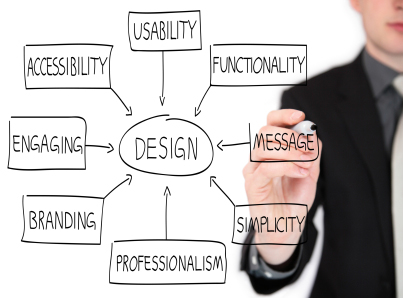
Improving your site’s visual appeal is crucial for better usability. A visually appealing site keeps visitors engaged. They are more likely to stay longer and interact more. Here are some ways to enhance the visual appeal of your website.
Consistent Color Scheme
A consistent color scheme creates a cohesive look. It helps users navigate your site with ease. Choose colors that match your brand identity. Stick to a few primary colors. Use them across your site. This consistency builds trust and makes your site more professional.
Consider color psychology. Colors evoke emotions. For example:
- Blue – Trust and calm
- Red – Energy and urgency
- Green – Growth and health
Use a color wheel. It helps you find complementary colors. These colors work well together. They create a balanced and pleasing look.
Quality Imagery
High-quality images make your site look polished. They grab attention and convey your message quickly. Use relevant images. They should match your content and brand.
Optimize your images. Large files slow down your site. Use tools to compress images without losing quality. This improves load times and user experience.
Consider different types of images:
- Photos – Real and relatable
- Illustrations – Unique and creative
- Icons – Simple and informative
Use images sparingly. Too many images can be overwhelming. Place them strategically to guide the user’s eye. They should support your content, not distract from it.

Credit: usabilitygeek.com
Intuitive Call-to-action
Enhancing your website’s usability involves many elements, but an intuitive call-to-action (CTA) stands out. A well-designed CTA guides users towards your desired action. This could be making a purchase, signing up for a newsletter, or downloading a resource. Below, we delve into two critical aspects of creating intuitive CTAs: Strategic Placement and Clear Instructions.
Strategic Placement
The placement of your CTA can greatly impact its effectiveness. Users should see your CTA without having to scroll or search. Here are some tips:
- Above the fold: Place the CTA where users can see it immediately.
- End of content: After reading a blog post, users are more likely to act.
- Sidebars: Sidebars are eye-catching and can house secondary CTAs.
Use heatmaps to track where users click. Adjust the CTA placement accordingly. Consistent strategic placement can drive more conversions.
Clear Instructions
Clarity is key for an effective CTA. Users should understand what action to take and what they will get in return. Follow these guidelines:
- Use action verbs: Start with words like “Buy,” “Subscribe,” or “Download.”
- Be specific: Specify the benefit, e.g., “Download our free eBook.”
- Keep it short: A concise CTA is easier to process.
A table can help illustrate effective vs. ineffective CTAs:
| Effective CTA | Ineffective CTA |
|---|---|
| Subscribe now for weekly tips | Click here |
| Get your free eBook | Learn more |
| Start your free trial | Sign up |
A clear and concise CTA removes any guesswork. Users should feel confident about the action they are taking. Keep testing different CTAs to see which ones perform best.
Ensure Accessibility
Ensuring that your website is accessible is crucial for improving site usability. Accessibility allows everyone, including people with disabilities, to navigate and interact with your site effectively. Let’s explore two key aspects of accessibility: Alt Text for Images and Keyboard Navigation.
Alt Text For Images
Alt text, or alternative text, provides a description for images. This description is crucial for visually impaired users. Screen readers use this text to describe the image. Without alt text, these users miss out on important content.
Using alt text also improves SEO. Search engines use this text to understand image content, improving your site’s search ranking. Here is a simple example of alt text:

Make your alt text descriptive yet concise. It should convey the image’s purpose and context.
Keyboard Navigation
Keyboard navigation is essential for users who can’t use a mouse. Ensure your website can be navigated using only the keyboard. This includes being able to access all interactive elements like links, buttons, and forms.
Here are some tips for ensuring effective keyboard navigation:
- Use tabindex to control the order of navigation.
- Ensure all interactive elements are focusable.
- Provide visible focus indicators.
A simple way to test your site’s keyboard navigation is to try navigating your site using only the Tab and Enter keys. If you encounter issues, address them immediately.
| Navigation Task | Keyboard Action |
|---|---|
| Move to next link/button | Tab |
| Activate link/button | Enter |
| Move to previous link/button | Shift + Tab |
Ensuring accessibility not only improves usability but also broadens your audience. It is a necessary step for a user-friendly website.
Credit: www.uxtweak.com
Gather User Feedback
To improve your website’s usability, it’s crucial to gather user feedback. Understanding user needs and pain points helps enhance the user experience. This section will explore effective methods to collect feedback from your users.
Surveys And Polls
Surveys and polls are excellent tools for collecting user feedback. They are simple to create and easy for users to complete. Here are some tips to make them effective:
- Keep questions short and to the point.
- Use a mix of open-ended and multiple-choice questions.
- Offer incentives to encourage participation.
- Analyze the data to identify common themes and issues.
Below is an example of a survey question table:
| Question | Type |
|---|---|
| How satisfied are you with our website? | Multiple Choice |
| What improvements would you like to see? | Open-ended |
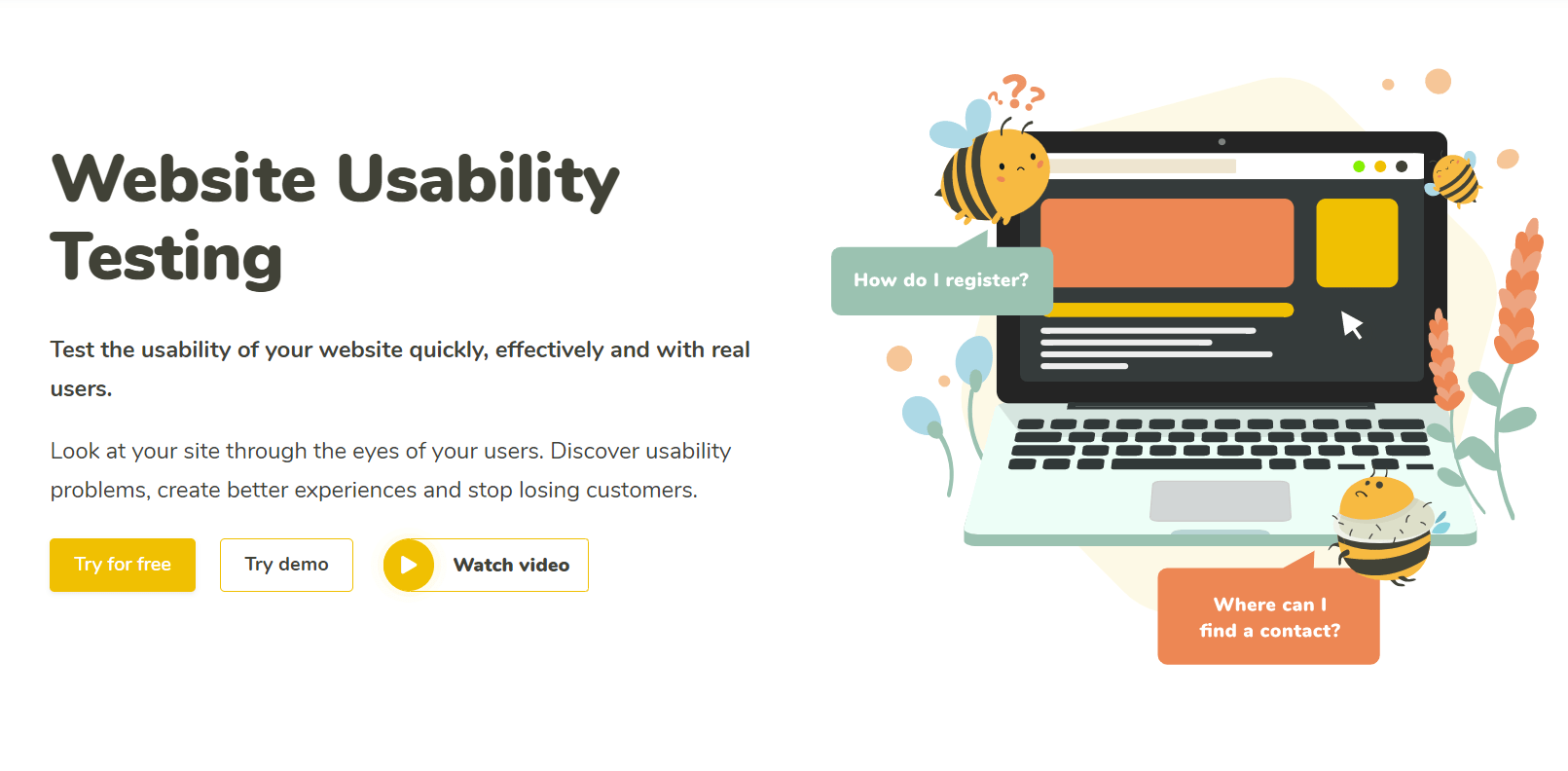
Usability Testing
Usability testing involves observing users as they interact with your website. This method provides valuable insights into user behavior and potential issues. Follow these steps for effective usability testing:
- Recruit a diverse group of participants.
- Define clear tasks for participants to complete.
- Observe and record their interactions.
- Analyze the results to identify usability issues.
- Make necessary improvements based on your findings.
For instance, you can ask participants to find a specific product on your site. Watch how they navigate, note any difficulties, and make adjustments to simplify the process.
Gathering user feedback through surveys, polls, and usability testing is essential. It helps you create a more user-friendly website. This enhances user satisfaction and engagement.
Credit: fremont.edu
Frequently Asked Questions
How Can I Improve Site Usability?
Improving site usability involves simplifying navigation, enhancing readability, and optimizing loading speeds. Use clear calls-to-action and ensure mobile-friendliness. Regularly test your site’s user experience.
Why Is Site Usability Important?
Site usability is crucial because it enhances user experience, reduces bounce rates, and increases conversions. A user-friendly site keeps visitors engaged and encourages them to return.
What Are Common Usability Issues?
Common usability issues include slow loading times, complex navigation, poor readability, and non-responsive design. Address these to improve user experience and satisfaction.
How Does Mobile-friendliness Affect Usability?
Mobile-friendliness ensures that your site is accessible and functional on all devices. It improves user experience and boosts search engine rankings.
Conclusion
Improving site usability benefits both users and your business. It ensures easy navigation. Users find information quickly. This boosts their satisfaction. Happy users stay longer and return often. Simple, intuitive design is key. Regularly update and test your site. Listen to user feedback.
Small changes can make a big difference. Prioritize usability and see positive results. Start enhancing your site today. Your users will thank you.