

Is your website performing at its best? Website optimization is crucial for success.
It ensures your site runs smoothly, loads quickly, and ranks high on search engines. In today’s digital age, a well-optimized website can make or break your online presence. Visitors expect fast loading times and seamless navigation. Poor performance can drive them away, costing you potential customers.
Effective optimization strategies can enhance user experience and improve your site’s visibility. This means more traffic and better engagement. Let’s explore how you can optimize your website for maximum impact. You’ll learn essential tips and techniques to boost performance and stay ahead in the competitive online world.
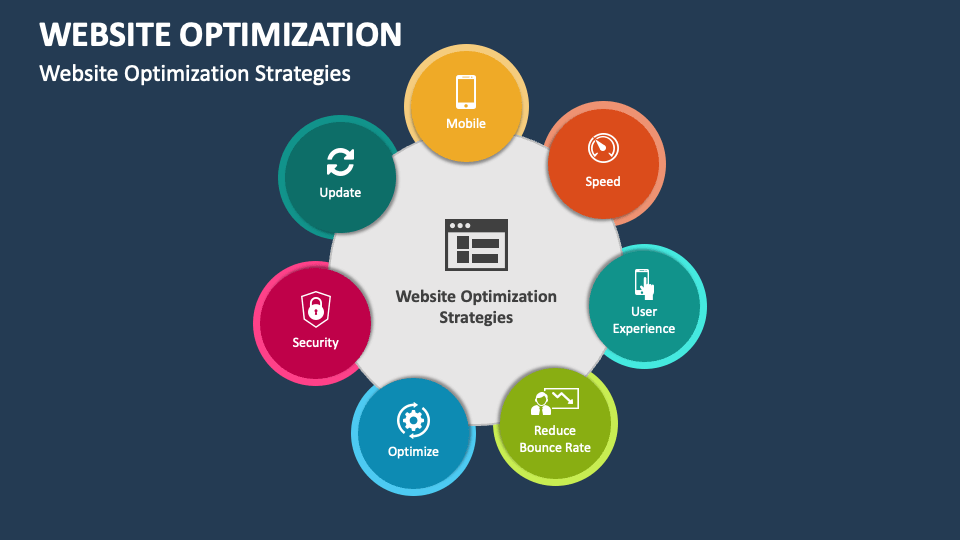
Credit: www.collidu.com
Importance Of Website Optimization
Website optimization is crucial for both user experience and search engine ranking. It ensures that your site runs efficiently. A well-optimized website attracts more visitors and keeps them engaged.
Let’s explore why website optimization is essential.
Impact On User Experience
User experience (UX) plays a vital role in the success of a website. A fast-loading site enhances UX. Visitors are likely to stay longer and explore more pages.
Here are some key points:
- Faster load times reduce bounce rates.
- Responsive design improves usability on all devices.
- Clear navigation helps users find information quickly.
By focusing on these aspects, you ensure a seamless experience for your users.
Seo Benefits
Optimizing your website also boosts its search engine ranking. Search engines like Google prioritize well-optimized sites.
Consider these SEO benefits:
- Improved site speed enhances crawl efficiency.
- Mobile optimization increases mobile search rankings.
- Better user engagement signals quality content to search engines.
These factors contribute to better visibility in search results.
In summary, both user experience and SEO benefit greatly from website optimization.
Speed Optimization Techniques
Speed is crucial for a website’s success. A fast-loading site enhances user experience and boosts SEO. Implementing speed optimization techniques ensures your site runs smoothly and efficiently. This section covers key strategies to improve your website’s speed.
Minimize Http Requests
Each element on a webpage, like images, scripts, and stylesheets, requires an HTTP request. Reducing these requests speeds up your site. Here are some tips:
- Combine CSS and JavaScript files.
- Use CSS sprites to combine images.
- Limit the number of plugins used.
- Inline small CSS and JavaScript.
Combining files reduces the number of requests the server handles. This leads to faster load times.
Use A Content Delivery Network (cdn)
A CDN distributes your content across multiple servers worldwide. This reduces the distance between users and the server. Benefits include:
| Benefit | Description |
|---|---|
| Faster Load Times | Content is served from the nearest server. |
| Improved Reliability | CDNs handle traffic spikes better. |
| Enhanced Security | CDNs provide protection against DDoS attacks. |
Using a CDN ensures your site loads quickly, no matter the user’s location.
Improving Mobile Performance
Improving your website’s mobile performance is crucial. With more users accessing websites on mobile devices, a seamless mobile experience is essential. Fast loading times, ease of navigation, and a clean layout can enhance user experience and reduce bounce rates. Here are some strategies to improve mobile performance.
Responsive Design
Responsive design ensures your website looks great on all devices. It adapts the layout to fit different screen sizes. This approach uses flexible grids, images, and CSS media queries.
- Flexible Grids: Use a grid system that adjusts to various screen sizes.
- Flexible Images: Ensure images resize within their containing elements.
- CSS Media Queries: Apply different styles based on the device’s screen size.
A responsive design creates a consistent user experience across devices. It also improves your website’s SEO ranking. Google favors mobile-friendly websites in search results.
Accelerated Mobile Pages (amp)
Accelerated Mobile Pages (AMP) is an open-source project. It aims to make web pages load faster on mobile devices. AMP uses a simplified version of HTML and limits the use of JavaScript.
| Feature | Benefit |
|---|---|
| AMP HTML | Faster loading times |
| AMP Cache | Improved delivery speed |
| AMP Components | Enhanced performance |
Using AMP can improve your mobile site’s speed significantly. It also helps in achieving higher search engine rankings. Users prefer fast-loading pages, which means lower bounce rates and higher engagement.
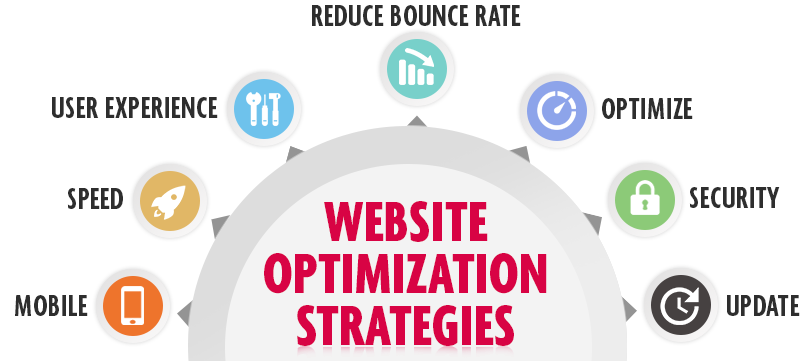
Credit: webcomkenya.com
Optimizing Images And Media
Optimizing images and media is crucial for website performance. It improves load times, user experience, and SEO rankings. By efficiently managing the size and format of your media, you ensure faster access and better interaction for your audience.
Image Compression
Image compression reduces the file size without compromising quality. This speeds up the website and saves bandwidth. There are two main types of image compression:
- Lossy Compression: Reduces file size by removing some data. This may affect image quality slightly.
- Lossless Compression: Reduces file size without losing any data. The image quality remains the same.
Use tools like TinyPNG or ImageOptim to compress images. This ensures smaller file sizes and faster loading times. Always choose the right format. For example, use JPEG for photographs and PNG for graphics with transparency.
Lazy Loading
Lazy loading is a technique that delays the loading of non-critical resources. Images and media load only when they are needed. This improves the initial load time of the website. Lazy loading can be implemented easily using HTML and JavaScript.
Here’s a basic example of lazy loading in HTML:


In the example above, the data-src attribute holds the actual image URL. The src attribute holds a placeholder image. The lazyload class triggers the loading of the actual image when it comes into view.
Use plugins like Lazy Load for WordPress to simplify the process. This makes the website faster and more efficient.
Enhancing Website Security
Website security is crucial. It protects data, maintains trust, and ensures smooth operations. Implementing strong security measures is essential. Two important strategies are using SSL certificates and conducting regular security audits.
Ssl Certificates
SSL certificates encrypt data transferred between the server and the user. This keeps sensitive information safe. They also improve SEO rankings.
- Encrypts data
- Builds user trust
- Improves SEO
Most web hosts offer SSL certificates. Choose one that fits your needs.
Regular Security Audits
Security audits identify vulnerabilities in your website. They help you fix issues before they become problems.
- Scan your website regularly
- Check for outdated software
- Review user access levels
Use tools like Sucuri or Wordfence for audits. Schedule audits monthly for best results.
Effective Caching Strategies
Website optimization is crucial for a fast-loading, user-friendly site. One of the most important aspects of this is caching. Caching strategies can greatly improve your website’s speed and performance. Let’s explore two key types: Browser Caching and Server-Side Caching.
Browser Caching
Browser caching stores web page resources in the user’s browser. This reduces load times for repeat visits. When a user visits a website, the browser saves certain files locally. These include images, CSS files, and JavaScript files.
Here are some steps to implement browser caching:
- Set expiration dates for static resources using HTTP headers.
- Use the
Cache-Controlheader to specify caching policies. - Leverage the
ETagheader to validate cached resources.
Example of Cache-Control header:
Cache-Control: max-age=31536000This example sets the cache duration to one year. This means the browser will cache the resource for 31536000 seconds.
Server-side Caching
Server-side caching stores web page resources on the server. This reduces the load on the server and speeds up response times. Common types of server-side caching include:
- Object Caching: Stores database query results.
- Page Caching: Saves the entire HTML output of a page.
- Opcode Caching: Caches the compiled PHP code.
Here’s a brief comparison of these caching types:
| Type | Description | Use Case |
|---|---|---|
| Object Caching | Stores query results | Frequent database queries |
| Page Caching | Saves HTML output | Static pages |
| Opcode Caching | Caches compiled code | PHP-based sites |
To implement server-side caching, use tools such as:
- Memcached: A distributed memory caching system.
- Redis: An in-memory data structure store.
- Varnish: A web application accelerator.
These tools can significantly improve your site’s performance. Choose the one that best fits your needs. Proper caching can make your website faster and more efficient.
Optimizing Website Code
Optimizing your website code is essential for improving performance and user experience. Efficient code can make your site load faster and run smoother. This section will focus on two key aspects: Minify CSS and JavaScript and Remove Unused Code.
Minify Css And Javascript
Minifying CSS and JavaScript files can significantly reduce file sizes. This helps your website load faster. Minification removes unnecessary characters. These include spaces, comments, and line breaks.
Here is an example of minified CSS code:
body{margin:0;padding:0;color:#333;font-family:Arial,sans-serif;}
Compare this to the original code:
body {
    margin: 0;
    padding: 0;
    color: #333;
    font-family: Arial, sans-serif;
}
As you can see, minified code is much shorter. Tools like UglifyJS or CSSNano can help automate this process.
Remove Unused Code
Unused code can slow down your website. It can also make your codebase harder to manage. Identifying and removing unused code can improve performance.
Here are some tips for removing unused code:
- Use tools like Chrome DevTools to find unused JavaScript and CSS.
- Regularly review your codebase for outdated code.
- Consider using a tool like PurgeCSS to automate the removal process.
Removing unused code will make your site lighter and faster. It also makes maintenance easier.
Here is an example of a table showing the benefits of removing unused code:
| Benefit | Description |
|---|---|
| Improved Load Times | Fewer lines of code mean faster loading. |
| Easier Maintenance | Less code to manage and debug. |
| Better Performance | Optimized code runs more efficiently. |
Adopting these strategies can greatly enhance your website’s performance. Keep your code clean and efficient for the best results.
Monitoring And Analytics
Monitoring and analytics are crucial for website optimization. These practices help you understand your website’s performance and user behavior. By using these insights, you can make informed decisions to improve your site.
Use Web Analytics Tools
Web analytics tools are essential for tracking your website’s data. They provide valuable information about your visitors and their actions. Google Analytics is one of the most popular tools available.
- Track the number of visitors.
- Measure the bounce rate.
- Identify the most visited pages.
- Understand user demographics.
These tools also help you set up goals and conversions. This allows you to track specific actions you want users to take. You can also monitor the performance of your marketing campaigns.
Regular Performance Audits
Regular performance audits ensure your website runs smoothly. They help identify issues that affect your site’s speed and user experience. Here are some key areas to focus on:
- Page load time.
- Mobile responsiveness.
- Broken links.
- SEO errors.
Use tools like Google PageSpeed Insights to analyze your site’s speed. This tool provides suggestions to improve loading times. Screaming Frog is another useful tool for finding broken links and SEO errors.
Perform these audits at least once a month. This ensures your site remains optimized and user-friendly.
| Tool | Purpose |
|---|---|
| Google Analytics | Track visitors and user behavior. |
| Google PageSpeed Insights | Analyze and improve page load times. |
| Screaming Frog | Identify broken links and SEO errors. |
In summary, monitoring and analytics are vital for website optimization. Use web analytics tools and perform regular performance audits. This will help maintain a high-performing, user-friendly website.

Credit: www.searchenginejournal.com
Frequently Asked Questions
What Is Website Optimization?
Website optimization involves improving website performance, speed, and user experience. It enhances search engine rankings, increases traffic, and boosts conversions.
Why Is Website Speed Important?
Website speed impacts user experience and SEO rankings. Faster websites retain visitors, reduce bounce rates, and improve conversion rates.
How Can I Improve Website Loading Time?
To improve loading time, optimize images, leverage browser caching, use a CDN, and minimize HTTP requests.
What Are Seo Best Practices For Website Optimization?
SEO best practices include keyword research, quality content creation, mobile optimization, and building high-quality backlinks.
Conclusion
Effective website optimization is crucial for online success. Focus on speed, content, and user experience. Consistently update your site. Use relevant keywords naturally. Ensure mobile-friendliness. Monitor analytics for insights. Implementing these strategies enhances visibility and engagement. Aim for a user-friendly site.
Keep learning and adapting. These steps lead to better performance and growth.