

Are you tired of spending hours editing long videos for social media? Keevi might be the solution.
This AI-powered tool converts lengthy videos into shareable clips quickly and easily. Keevi is designed for effortless video repurposing. With features like auto-reframing, multilingual subtitles, and direct posting to social media, it simplifies content creation. It’s perfect for those who want to engage their audience without needing advanced video editing skills. The platform offers various pricing tiers to suit different needs, from 10 hours to unlimited video editing per month. Plus, with a 60-day money-back guarantee, you can try Keevi risk-free. For more details, check out Keevi’s lifetime deal at this link.
Introduction To Keevi
Keevi is an AI-powered tool designed to transform long videos into engaging clips optimized for major social media platforms. This tool makes it easier to create shareable clips without requiring advanced video editing skills.
What Is Keevi?
Keevi is an innovative tool that uses artificial intelligence to convert long videos into multiple shareable clips. It helps users repurpose their video content efficiently and effectively.
| Main Features | Details |
|---|---|
| AI-Powered Video Editing | Automatically converts long videos into shareable clips. |
| Auto-Reframing | Highlights specific subjects in clips. |
| YouTube Integration | Import videos directly via URL. |
| Multilingual Subtitles | Generate and edit subtitles in multiple languages. |
| Direct Posting | Share clips directly to social media platforms like Facebook, Instagram, Twitter, LinkedIn, YouTube, and TikTok. |
| Customization | Edit subtitle fonts, styles, sizes, and positions; add logos and branding. |
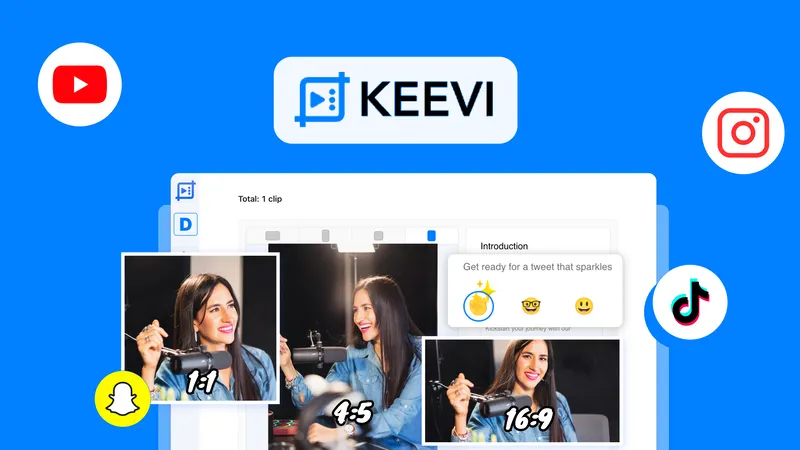
| Multiple Aspect Ratios | Supports various video aspect ratios (9:16, 1:1, 3:4, 16:9). |
The Purpose Of Keevi In Video Content Creation
Keevi aims to help users create optimized, engaging clips tailored for specific social media platforms. It significantly reduces the time required to convert and post video content. The tool also maintains a consistent look across all posts with customizable branding and subtitle options.
- Increased Engagement: Create clips that capture attention on social media.
- Global Reach: Generate multilingual subtitles to reach a broader audience.
- Time Efficiency: Quickly convert long videos into shareable content.
- Consistency: Keep a uniform appearance across all your posts.
- Ease of Use: No advanced video editing skills required.
With Keevi, users can enjoy a user-friendly interface that simplifies the video editing process.
Credit: ltdguides.com
Key Features Of Keevi
Keevi is a powerful tool designed to transform long videos into shareable clips for social media. Its features make video editing easy and efficient. Here are the key features of Keevi.
Keevi offers an intuitive video editing interface that is easy to use. You do not need advanced video editing skills to operate it. This user-friendly interface allows you to quickly navigate and utilize the various tools available.
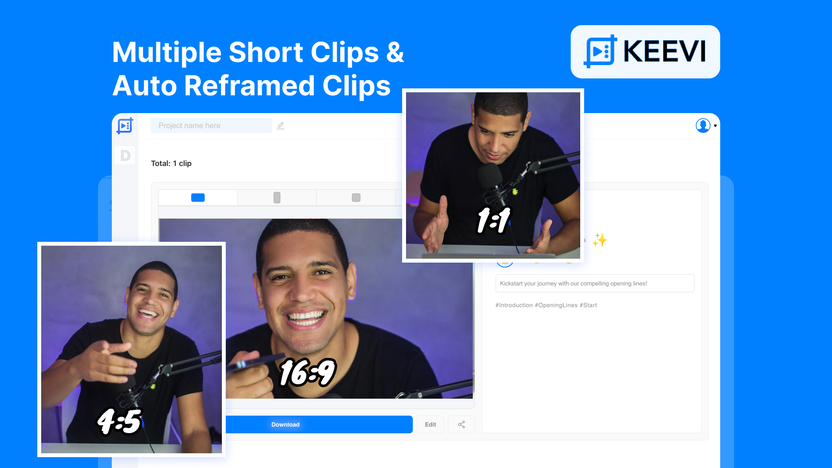
With Keevi’s AI-powered video editing, you can automatically convert long videos into multiple shareable clips. This feature saves time and effort. It highlights specific subjects in clips through auto-reframing, ensuring the most engaging parts of your video are shared.
Keevi provides customizable templates for your clips. You can edit subtitle fonts, styles, sizes, and positions. Add logos and branding to maintain a consistent look across all posts. This customization ensures your clips are tailored to your brand’s identity.
Keevi generates and edits multilingual subtitles using AI. This feature allows you to reach a broader audience by providing subtitles in multiple languages. The tool also supports transcription, making your content more accessible and engaging.
Keevi supports direct posting to major social media platforms, including Facebook, Instagram, Twitter, LinkedIn, YouTube, and TikTok. This seamless integration simplifies the process of sharing your clips, ensuring they reach your audience quickly and efficiently.
| Main Features | Benefits |
|---|---|
| AI-Powered Video Editing | Creates engaging clips automatically |
| Auto-Reframing | Highlights specific subjects in clips |
| YouTube Integration | Import videos directly via URL |
| Multilingual Subtitles | Reach a broader audience |
| Direct Posting | Share clips directly to social media |
| Customization | Maintain a consistent look |
| Multiple Aspect Ratios | Supports various video aspect ratios |
With Keevi, you can create optimized, engaging clips tailored for specific social media platforms. This tool is perfect for those looking to efficiently repurpose video content without requiring advanced skills.
Intuitive Video Editing Interface
The intuitive video editing interface of Keevi simplifies the process of converting long videos into shareable clips. Designed with the user in mind, it ensures even beginners can create engaging content for social media platforms.
User-friendly Design
Keevi boasts a user-friendly design that caters to all skill levels. The interface is clean and easy to navigate, making it accessible for everyone. Users can find tools and features quickly, reducing the learning curve significantly.
- Simple navigation
- Easy access to tools
- Minimalist layout
Drag And Drop Functionality
The drag and drop functionality allows for seamless video editing. Users can effortlessly drag video elements, making the editing process faster and more efficient. This feature eliminates the need for complex commands and enhances the overall user experience.
Key benefits include:
- Quick video assembly
- Effortless rearrangement of clips
- Streamlined editing process
Real-time Preview
The real-time preview feature ensures users can see changes instantly. This allows for immediate adjustments, ensuring the final product meets expectations. Users can play back edits without waiting for rendering, saving valuable time.
Highlights of real-time preview:
| Feature | Benefit |
|---|---|
| Instant feedback | Quick adjustments |
| Live editing | Accurate final output |
| Time-saving | Efficient workflow |
Overall, Keevi’s intuitive interface, user-friendly design, drag and drop functionality, and real-time preview make it an ideal tool for anyone looking to create shareable video clips easily and quickly.

Credit: www.linkedin.com
Automated Clip Generation
Keevi is a tool designed to make video editing simple and fast. Using AI, Keevi turns long videos into short, shareable clips. This feature is called Automated Clip Generation. It is perfect for social media content creators.
How It Works
Automated Clip Generation uses AI to analyze your long videos. It identifies key moments and converts them into multiple shareable clips. You can import videos directly from YouTube using the URL.
- AI-Powered Analysis: Detects key moments in videos.
- Auto-Reframing: Focuses on specific subjects in clips.
- Multilingual Subtitles: Adds subtitles in multiple languages.
This process is quick and does not require advanced editing skills.
Time-saving Benefits
Keevi saves you time by automating the video editing process. You do not need to manually search for important segments. The AI does it for you. This allows you to create and post content faster.
- Efficient Workflow: Reduces time spent on editing.
- Direct Posting: Share clips directly to social media platforms like Facebook, Instagram, Twitter, LinkedIn, YouTube, and TikTok.
- Consistency: Maintain a consistent look across posts with customizable branding and subtitle options.
Customization Options
Keevi offers various customization options to make your clips unique. You can edit subtitle fonts, styles, sizes, and positions. You can also add logos and branding to your clips. Keevi supports multiple aspect ratios such as 9:16, 1:1, 3:4, and 16:9.
| Customization Options | Details |
|---|---|
| Subtitle Fonts | Edit fonts, styles, sizes, and positions. |
| Logos and Branding | Add logos to your clips for consistent branding. |
| Aspect Ratios | Supports 9:16, 1:1, 3:4, and 16:9. |
These options ensure your clips match your brand and stand out on social media platforms.
Customizable Templates
Using Keevi, you can transform your long videos into shareable clips efficiently. One of the standout features is the customizable templates. These templates help make your clips visually appealing and tailored for various social media platforms.
Variety Of Templates Available
Keevi offers a wide range of templates. These templates cater to different social media platforms and video content types. Whether you are creating a clip for Instagram, Facebook, or TikTok, there’s a template for you.
- Instagram Stories
- Facebook Posts
- YouTube Shorts
- LinkedIn Videos
- TikTok Clips
Each template is designed to optimize viewer engagement. They ensure your clips stand out on any platform.
Ease Of Use
One of Keevi’s strengths is its user-friendly interface. You don’t need advanced video editing skills to use it. The customizable templates are easy to apply and modify.
- Select a template.
- Import your video.
- Edit the clip.
- Export and share.
These simple steps make video editing quick and accessible for everyone. Even beginners can create professional-looking clips with ease.
Enhancing Visual Appeal
Customizable templates in Keevi greatly enhance the visual appeal of your videos. You can add logos, change subtitle fonts, styles, sizes, and positions to match your brand’s identity.
| Feature | Benefit |
|---|---|
| Add Logos | Maintain brand consistency |
| Change Fonts | Match your brand style |
| Adjust Subtitle Sizes | Improve readability |
These customization options help in creating visually appealing clips. They ensure your content looks professional and engaging. Using Keevi’s customizable templates, you can make your videos look polished and ready for social media.
Ai-powered Transcriptions And Subtitles
One of Keevi’s standout features is its AI-powered transcriptions and subtitles. This functionality transforms long videos into shareable clips, automatically adding accurate subtitles to enhance the viewer’s experience. Let’s delve into the benefits and capabilities of this feature.
Accuracy And Speed
Keevi utilizes advanced AI technology to ensure high accuracy and speed in transcriptions. The tool quickly processes long videos, generating precise subtitles in a matter of minutes. This efficiency allows users to save significant time in video editing.
| Feature | Benefit |
|---|---|
| High Accuracy | Reduces errors in subtitles. |
| Fast Processing | Generates subtitles within minutes. |
Multilingual Support
Keevi supports multilingual subtitles, allowing users to generate and edit subtitles in over 20 languages. This feature is crucial for reaching a global audience. Users can easily customize the subtitle fonts, styles, sizes, and positions to match their branding.
- Subtitles in 20+ languages
- Customizable fonts and styles
- Global audience reach
Improving Accessibility
Adding subtitles to videos significantly improves accessibility. It ensures that viewers with hearing impairments can understand the content. Subtitles also help non-native speakers comprehend the video better. Keevi’s AI-powered tool makes this process seamless and user-friendly.
- Enhances understanding for non-native speakers
- Supports viewers with hearing impairments
- Promotes inclusive content
Keevi’s AI-powered transcriptions and subtitles feature is a game-changer for anyone looking to create shareable and accessible video content. With high accuracy, multilingual support, and enhanced accessibility, this tool is a must-have for content creators.
Seamless Social Media Integration
One of Keevi’s standout features is its seamless integration with major social media platforms. This makes it a powerful tool for content creators and marketers. Transform your long videos into easily shareable clips and engage your audience more effectively.
Supported Platforms
Keevi supports a wide range of social media platforms, ensuring your content reaches a broad audience. These include:
- YouTube
- TikTok
With these platforms covered, you can ensure your videos are seen by users on their preferred social media network.
Direct Sharing Options
One of the most convenient features of Keevi is its direct sharing options. After converting your long videos into clips, you can share them directly to your social media accounts. This eliminates the need to download and re-upload files, saving you valuable time.
Additionally, Keevi allows for customization of your clips. You can add logos, change subtitle fonts, styles, sizes, and positions. This helps maintain a consistent brand look across all your social media posts.
Boosting Engagement
Using Keevi can significantly boost engagement on your social media platforms. By creating optimized, engaging clips tailored for each platform, you cater to the preferences of your audience.
Furthermore, Keevi’s multilingual subtitles feature enables you to reach a global audience. Automatically generate subtitles in multiple languages and edit them as needed. This feature ensures your content is accessible to non-native speakers, widening your reach.
With Keevi, you can maintain a consistent posting schedule. This consistency helps keep your audience engaged and coming back for more. Creating shareable clips has never been easier, making Keevi an essential tool for any content creator or marketer.
Credit: appsumo.com
Pricing And Affordability
Choosing the right tool for video editing can be challenging. Keevi offers a variety of pricing options that cater to different needs and budgets. Let’s explore the pricing and affordability of Keevi’s lifetime deal.
Keevi Lifetime Deal Overview
Keevi provides four distinct license tiers:
- License Tier 1: 10 hours of video per month
- License Tier 2: 25 hours of video per month
- License Tier 3: 60 hours of video per month
- License Tier 4: Unlimited hours of video per month
All tiers include:
- AI captions in 20+ languages
- Unlimited exports in multiple aspect ratios
- Videos stored for 1 year
- Upload files up to 2.5GB
- Find & edit moments with editor
- Add branding into clips
- Transcription/caption in multiple languages
- Add logo
- Choose fonts
- Video filters
Cost Comparison With Competitors
When comparing Keevi with other video editing tools, it stands out due to its affordability and features. Here’s a brief comparison:
| Feature | Keevi | Competitor A | Competitor B |
|---|---|---|---|
| Monthly Cost | $10 (Tier 1) | $20 | $25 |
| AI-Powered Editing | Yes | No | Yes |
| Multilingual Subtitles | Yes | Yes | No |
| Direct Posting | Yes | No | Yes |
Value For Money
Keevi offers great value for money. Users get a comprehensive set of features without breaking the bank. The AI-powered editing and multilingual subtitles save time and effort. Direct posting to social media simplifies content distribution. The customizable branding options ensure consistency across all posts.
Additionally, Keevi’s 60-day money-back guarantee allows users to try the tool risk-free. Lifetime access ensures users benefit from all future updates without extra costs. Keevi’s pricing structure is designed to be flexible, catering to both individuals and businesses.
Pros And Cons
Understanding the pros and cons of Keevi helps you decide if it’s the right tool for your video editing needs. Below, we explore the advantages and limitations of Keevi in detail.
Advantages Of Using Keevi
- AI-Powered Video Editing: Keevi automatically converts long videos into shareable clips, saving time.
- Auto-Reframing: Highlights specific subjects in clips, ensuring focus on important content.
- YouTube Integration: Easily import videos directly via URL, simplifying the editing process.
- Multilingual Subtitles: Generate and edit subtitles in multiple languages, enhancing global reach.
- Direct Posting: Share clips directly to social media platforms like Facebook, Instagram, Twitter, LinkedIn, YouTube, and TikTok.
- Customization: Edit subtitle fonts, styles, sizes, and positions; add logos and branding for consistency.
- Multiple Aspect Ratios: Supports various video aspect ratios (9:16, 1:1, 3:4, 16:9), making it versatile for different platforms.
- User-Friendly: No advanced video editing skills required, making it accessible to everyone.
Drawbacks And Limitations
- Monthly Video Limit: Depending on the license tier, users are limited to a certain number of video hours per month.
- File Upload Limit: The maximum file upload size is 2.5GB, which may not be sufficient for some users.
- Internet Dependence: Requires a stable internet connection to import videos and use AI features efficiently.
- Learning Curve: Although user-friendly, there might be a slight learning curve for complete beginners.
Ideal Users And Scenarios
Keevi is an AI-powered tool that simplifies converting long videos into shareable clips. This section explores who can benefit from Keevi, the best use cases, and specific industry recommendations.
Who Can Benefit From Keevi?
Content Creators: Whether you’re a YouTuber or a vlogger, Keevi helps create engaging clips for social media. The tool’s AI-powered video editing automates the process, saving you time.
Social Media Managers: Keevi makes it easier to maintain a consistent posting schedule. You can directly post clips to platforms like Facebook, Instagram, and TikTok.
Businesses: Companies can use Keevi to repurpose long webinars or presentations into concise clips. These clips can be shared on LinkedIn or Twitter, increasing engagement.
Educators: Teachers and trainers can convert long lectures into smaller, more digestible clips. This helps students to review key points easily.
Best Use Cases
Highlighting Key Moments: Keevi’s auto-reframing feature focuses on specific subjects, making it ideal for highlighting important moments in a video.
Multilingual Subtitles: Generate subtitles in multiple languages. This feature ensures your content reaches a broader audience. It’s perfect for global brands.
Branding and Customization: Add logos, customize subtitle fonts, styles, sizes, and positions. Maintain a consistent look across all your social media posts.
YouTube Integration: Import videos directly via URL. This saves time and streamlines the process of creating shareable clips.
Recommendations For Specific Industries
| Industry | Recommendation |
|---|---|
| Marketing | Use Keevi to create promotional clips from long webinars or interviews. |
| Education | Convert lectures into short, informative clips with multilingual subtitles. |
| Entertainment | Create engaging highlights from long videos, ideal for social media teasers. |
| Corporate | Turn training sessions or meetings into concise clips for internal sharing. |
| Healthcare | Share key information from long medical seminars or health talks. |
Frequently Asked Questions
What Is Keevi Lifetime Deal?
Keevi Lifetime Deal is a one-time purchase offer. It allows users to convert long videos into shareable clips. This deal provides lifetime access to Keevi’s features without recurring fees.
How Does Keevi Convert Long Videos?
Keevi uses advanced algorithms to identify key segments. It extracts and converts these segments into shorter, shareable clips. This process is efficient and user-friendly.
Is Keevi Suitable For All Video Types?
Yes, Keevi supports various video formats. It works well with educational, promotional, and social media content. Keevi is versatile and adapts to different video types.
What Are The Main Features Of Keevi?
Keevi offers features like video trimming, segment extraction, and clip sharing. It also includes an intuitive interface and supports multiple video formats. These features make Keevi a comprehensive tool.
Conclusion
Keevi is a powerful tool for transforming long videos into shareable clips. Its AI-powered features make video editing quick and easy. Keevi helps you create engaging content for social media without the need for advanced skills. The multiple aspect ratios and direct posting options save time. Keevi’s customization options ensure your branding stays consistent. Its multilingual subtitles extend your reach globally. Keevi offers various pricing plans to suit different needs. Try Keevi today and see the difference in your video content. Learn more and get your Keevi lifetime deal here.