

Email marketing can be a daunting task, especially for small businesses. Gumbamail offers a solution.
It’s a Chrome extension that integrates with Gmail to simplify mass email campaigns. In this Gumbamail Lifetime Deal Review, we will explore how this tool can ease your email marketing efforts. With features like unlimited sending, customizable templates, and real-time analytics, Gumbamail promises to be a valuable asset. Whether you’re a small business owner or a marketing professional, understanding the benefits and features of Gumbamail can help you make an informed decision. Let’s dive into what makes Gumbamail a noteworthy choice for your email marketing needs. Check out the Gumbamail Lifetime Deal here.
Introduction To Gumbamail
Gumbamail is a powerful tool designed to simplify email marketing. It integrates directly into Gmail, making it easy to manage email campaigns. With a one-time payment, you get lifetime access, avoiding monthly fees. Let’s explore Gumbamail’s features and benefits.
What Is Gumbamail?
Gumbamail is a Google Chrome extension that helps you schedule and send mass email marketing campaigns directly from Gmail. It offers a user-friendly interface and integrates seamlessly with Gmail.
| Feature | Description |
|---|---|
| Chrome Extension | Integrates with Gmail for easy email campaign management |
| No Sending Limit | Send unlimited emails without daily limits |
| Email Templates | Over 250 customizable templates available |
| Mail Merge | Personalize emails with recipient names and data |
| Subscriber Management | Import and manage subscribers easily |
| Real-time Analytics | Track campaign performance in real-time |
| GDPR-compliant | Ensures user data privacy and compliance |
Purpose And Overview Of Gumbamail’s Lifetime Deal
The Gumbamail Lifetime Deal offers a cost-effective solution for email marketing. By making a one-time payment, users gain lifetime access to all features, avoiding recurring monthly fees.
- Standard Plan: $29 one-time payment (normally $192)
- Includes up to 100,000 emails per month
- 10 reusable template rows
- Unlimited templates, recipients, and domains
- No Gumbamail logo in email footers
- Advanced campaign report
- Premium Plan: $58 one-time payment (normally $384)
- Includes up to 500,000 emails per month
- 50 reusable template rows
- Unlimited templates, recipients, and domains
- No Gumbamail logo in email footers
- Advanced campaign report
Both plans come with a 60-Day Money-Back Guarantee, allowing users to try Gumbamail risk-free. The deal requires a Gmail account and Google Chrome for use.
Key Features Of Gumbamail
Gumbamail offers an array of features designed to enhance your email marketing experience. This tool is packed with functionalities to help you manage your campaigns efficiently. Let’s delve into the key features that make Gumbamail a valuable asset for email marketers.
User-friendly Interface
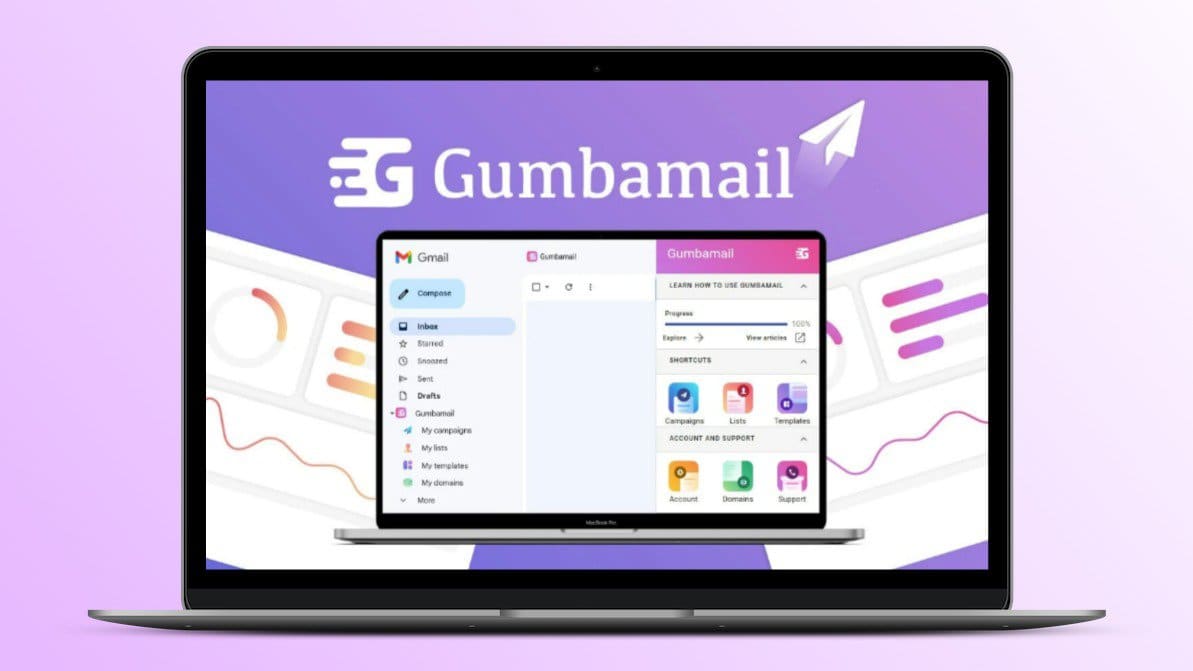
Gumbamail integrates seamlessly with Gmail through a Google Chrome extension. This intuitive interface allows you to manage email campaigns directly within your Gmail account. You don’t need to switch between different platforms, making the process smooth and hassle-free.
Advanced Email Templates
With over 250 customizable templates, Gumbamail provides a wide range of professional email designs. These templates can be tailored to suit your needs without requiring HTML knowledge. This feature ensures that your emails look professional and are responsive on various devices.
Detailed Analytics And Reporting
Gumbamail offers real-time analytics to track the performance of your email campaigns. You can monitor openings, email status, and recipient metrics. This detailed reporting helps you understand your audience better and refine your strategies accordingly.
Integration Capabilities
Gumbamail allows for easy integration of subscriber lists. You can import and manage subscribers from .csv files, Google Drive Spreadsheets, or Gmail Contacts. This capability ensures that your email list is always updated and well-organized.
Automation And Scheduling Tools
Scheduling campaigns is a breeze with Gumbamail’s automation tools. You can plan and set up your email campaigns to be sent at optimal times. This feature helps in maintaining consistency and reaching your audience when they are most likely to engage.
| Feature | Details |
|---|---|
| Chrome Extension | Integrates with Gmail for easy management |
| Email Templates | Over 250 customizable templates |
| Real-time Analytics | Track openings, status, and metrics |
| Subscriber Management | Import from .csv, Google Drive, or Gmail |
| Automation | Schedule and automate campaigns |
These key features of Gumbamail help streamline your email marketing efforts. With an easy-to-use interface, advanced templates, detailed analytics, robust integration capabilities, and efficient automation tools, Gumbamail stands out as a comprehensive solution for managing mass email campaigns.
Pricing And Affordability
Gumbamail offers an affordable solution for managing email marketing campaigns directly from Gmail. This section explores the pricing structure, compares it with competitors, and evaluates the overall value for money.
Breakdown Of Gumbamail’s Lifetime Deal Pricing
Gumbamail provides two pricing plans with a one-time payment, ensuring no recurring fees:
| Plan | One-Time Payment | Emails Per Month | Other Features |
|---|---|---|---|
| Standard Plan | $29 (normally $192) | Up to 100,000 |
|
| Premium Plan | $58 (normally $384) | Up to 500,000 |
|
Comparison With Competitors
When comparing Gumbamail to other email marketing tools, it stands out due to its one-time payment model. Many competitors charge monthly fees that can add up over time. Here is a comparison:
| Feature | Gumbamail | Competitor A | Competitor B |
|---|---|---|---|
| Cost | One-time payment ($29 or $58) | Monthly subscription ($20/month) | Monthly subscription ($25/month) |
| Emails Per Month | Up to 500,000 | Up to 100,000 | Up to 250,000 |
| GDPR-compliant | Yes | Yes | Yes |
| Customization | Over 250 templates | Limited templates | Limited templates |
| Refund Policy | 60-day money-back guarantee | 30-day refund | No refunds |
Value For Money Analysis
Gumbamail offers significant value for money. With a one-time payment, users avoid the burden of monthly fees. The extensive feature set includes:
- Unlimited emails per month, which is ideal for large campaigns.
- Customizable templates, making it easy to design professional emails without HTML knowledge.
- GDPR compliance, ensuring data privacy and security.
- Real-time analytics to track campaign performance.
Additionally, the 60-day money-back guarantee allows users to try Gumbamail risk-free. This makes it an attractive option for small businesses, marketing agencies, and solopreneurs.
Credit: lifetimo.com
Pros And Cons Of Gumbamail
Gumbamail is a handy tool for those who need to send mass emails quickly within Gmail. It’s essential to understand both the benefits and drawbacks of using this tool. Below, we’ll explore the pros and cons of Gumbamail to help you make an informed decision.
Pros: Advantages Of Using Gumbamail
| Feature | Benefit |
|---|---|
| Chrome Extension | Integrates directly with Gmail, making it easy to manage email campaigns. |
| No Sending Limit | Send unlimited emails without daily limits, unlike other tools. |
| Email Templates | Access to over 250 customizable templates without needing HTML knowledge. |
| Mail Merge | Personalize emails using merge tags to include recipient names and other data. |
| Subscriber Management | Import and manage subscribers from .csv files, Google Drive Spreadsheets, or Gmail Contacts. |
| Real-time Analytics | Track email campaign performance, including openings and recipient metrics. |
| GDPR-compliant | Ensures user data privacy and compliance with GDPR regulations. |
| Cost-Effective | One-time payment for lifetime access, avoiding monthly fees. |
Cons: Areas Of Improvement
- Gmail and Chrome Dependency: Requires both a Gmail account and Google Chrome, limiting flexibility.
- Learning Curve: Beginners might need time to learn all features.
- Template Limitations: Although there are many templates, customization options can still be limited for advanced users.
- Customer Support: Support is available, but response times may vary.
Recommendations For Ideal Users
Gumbamail is a powerful tool for anyone looking to simplify their email marketing efforts directly from Gmail. This section will explore the best scenarios for using Gumbamail and identify who will benefit the most from this tool.
Best Scenarios For Using Gumbamail
Gumbamail offers a unique set of features that make it ideal for various scenarios. Here are some of the best use cases:
- Small Businesses: Ideal for small businesses that want to manage email campaigns without the need for a full-fledged marketing team. The ease of use and affordability make it a perfect choice.
- Marketing Agencies: Agencies can leverage Gumbamail to handle multiple clients’ email campaigns efficiently. The ability to send unlimited emails and manage subscribers seamlessly is a significant advantage.
- Solopreneurs: For individuals running their own businesses, Gumbamail provides a cost-effective solution to reach out to their audience without the hassle of dealing with complex email marketing tools.
- Event Organizers: Perfect for organizing and promoting events. Gumbamail’s scheduling feature allows you to plan your email campaigns ahead of time, ensuring timely communication with your audience.
Who Will Benefit The Most?
Gumbamail is designed to cater to a wide range of users. Here are the groups that will benefit the most:
| User Group | Benefits |
|---|---|
| Non-technical Users | With over 250 customizable templates, users without HTML knowledge can create professional emails effortlessly. |
| Budget-conscious Users | The one-time payment model offers lifetime access without recurring monthly fees, making it a cost-effective option. |
| GDPR-compliant Businesses | Ensures user data privacy and compliance with GDPR regulations, which is essential for businesses operating in regions with strict data protection laws. |
| Data-driven Marketers | Real-time analytics provide insights into campaign performance, helping marketers make informed decisions. |
Credit: appsumodeal.quora.com

Credit: www.linkedin.com
Frequently Asked Questions
What Is Gumbamail?
Gumbamail is an email marketing platform. It integrates with Gmail to simplify email campaigns. It helps businesses reach their audience effectively.
How Does Gumbamail Work?
Gumbamail integrates directly with your Gmail account. You create and send email campaigns through its user-friendly interface. It offers templates and analytics.
Is Gumbamail User-friendly?
Yes, Gumbamail is designed for ease of use. It features an intuitive interface. You can quickly create and send email campaigns.
What Are Gumbamail’s Key Features?
Gumbamail offers email templates, analytics, and Gmail integration. It also provides list management and campaign scheduling. It simplifies email marketing efforts.
Conclusion
Gumbamail offers a powerful tool for email marketing in Gmail. It simplifies campaign management with its user-friendly interface. No sending limits ensure flexibility for any business size. Real-time analytics helps track performance easily. The one-time payment makes it cost-effective. Plus, the 60-day money-back guarantee provides peace of mind. Ready to simplify your email marketing? Check out Gumbamail’s lifetime deal here.