

Design can be challenging. Many people face this struggle daily.
Whether you’re a professional or a beginner, design issues can be frustrating. The good news is that you’re not alone. Many people experience the same difficulties. Designing requires creativity and technical skills. It can be tough to balance both. You might have brilliant ideas but struggle to execute them.
Or, you might have the skills but lack inspiration. This blog will explore common design problems and offer solutions. By understanding these issues, you can improve your design process. Let’s dive into the world of design and tackle these challenges together.
Identifying Design Challenges
Designers often face various challenges throughout their creative process. Identifying these challenges can help in overcoming them and improving the overall design quality. Understanding common roadblocks and recognizing signs of being stuck can make a significant difference.
Common Roadblocks
Several roadblocks can hinder the design process. Here are some of the most common ones:
- Lack of Clear Vision: Without a clear vision, it’s easy to get lost in the details.
- Communication Issues: Miscommunication with clients or team members can create confusion.
- Time Constraints: Tight deadlines often lead to rushed and subpar designs.
- Resource Limitations: Limited access to tools or materials can restrict creativity.
Signs You’re Stuck
Recognizing the signs of being stuck can help you take timely action. Here are some indicators:
- Repeated Ideas: Recycling the same ideas can indicate creative block.
- Procrastination: Avoiding tasks might mean you’re overwhelmed or unsure.
- Lack of Progress: If your project isn’t moving forward, you might be stuck.
- Frustration: Feeling frustrated often signals a need for a fresh perspective.
| Roadblock | Description |
|---|---|
| Lack of Clear Vision | Difficulty in seeing the end goal |
| Communication Issues | Misunderstanding between team members |
| Time Constraints | Short deadlines affecting quality |
| Resource Limitations | Lack of necessary tools or materials |
By identifying these challenges, designers can address them more effectively. This can lead to better outcomes and a more enjoyable design process.
Finding Inspiration
Struggling with design can feel overwhelming. But finding inspiration is key. Inspiration can come from many sources. It can be as simple as stepping outside or visiting a museum. Let’s explore two powerful sources of inspiration.
Exploring Nature
Nature is a rich source of inspiration. The colors, textures, and patterns found in nature can spark creativity. A walk in the park or a hike in the mountains can clear your mind. Notice the shapes of leaves, the movement of water, or the play of light. These elements can influence your design work.
| Element | Inspiration |
|---|---|
| Colors | Flowers, sunsets, oceans |
| Textures | Bark, stones, sand |
| Patterns | Leaves, animal markings, waves |
Leveraging Art And Culture
Art and culture offer endless inspiration. Visit museums, galleries, or cultural festivals. Study different art forms from various cultures. Look at paintings, sculptures, and traditional crafts. Each piece of art tells a story and offers unique design elements.
- Paintings: Observe the use of color and composition.
- Sculptures: Note the shapes and forms.
- Traditional Crafts: Appreciate the techniques and materials.
Engaging with different cultures can broaden your perspective. It can introduce you to new ideas and styles. This can lead to fresh and innovative designs.
Building A Creative Environment
Building a creative environment is essential for any designer. A well-organized space helps ideas flow. It supports your creativity and boosts productivity. Below, we’ll explore two key aspects of creating such an environment: organizing your workspace and creating a mood board.
Organizing Your Workspace
An organized workspace can inspire creativity. Here are some tips to help you set up your space:
- Declutter: Remove unnecessary items from your desk.
- Storage Solutions: Use shelves, drawers, and containers to store materials.
- Lighting: Ensure your workspace is well-lit. Natural light is ideal.
- Comfort: Invest in a comfortable chair and desk.
- Inspiration: Surround yourself with items that inspire you.
Organizing your workspace doesn’t have to be complex. Start with small steps. Clear your desk. Add a shelf. Make sure your chair is comfortable. Each change can make a big difference.
Creating A Mood Board
A mood board is a visual tool. It helps you gather inspiration and set a tone for your project. Here’s how to create one:
- Choose a Theme: Decide the purpose and style of your board.
- Collect Materials: Gather images, colors, textures, and quotes that inspire you.
- Arrange: Place your materials on a board. Rearrange until satisfied.
- Review: Step back and review your board. Adjust if needed.
Creating a mood board can be fun and rewarding. It helps visualize your ideas. Plus, it keeps your creative juices flowing. Use it as a reference throughout your project.
Credit: anagrambooks.com
Practicing Creative Exercises
Are you struggling with design? Practicing creative exercises can help ignite your imagination and boost your creativity. These exercises can be simple and fun, helping you to think in new ways. Let’s explore two effective methods: Daily Sketching and Mind Mapping Techniques.
Daily Sketching
Daily sketching is a powerful way to practice creativity. It helps you express ideas visually and see your progress over time. You don’t need to be a skilled artist to start. The key is consistency. Set aside 10-15 minutes each day to sketch anything that comes to mind. Use a notebook or digital tool, whatever you prefer.
Benefits of daily sketching:
- Improves hand-eye coordination
- Boosts imagination
- Enhances problem-solving skills
- Helps track creative growth
Start with simple objects or patterns. Gradually move to more complex designs. Keep your sketches. Review them to see your improvement and gather new ideas.
Mind Mapping Techniques
Mind mapping is another excellent exercise for unlocking creativity. This technique helps visualize ideas and their connections. Use it for brainstorming or organizing thoughts on a project.
Steps to create a mind map:
- Choose a central idea or theme.
- Write it in the center of a blank page.
- Draw branches from the central idea.
- Add related concepts to each branch.
- Connect related ideas with lines.
Mind mapping promotes free thinking and new perspectives. It can be done with pen and paper or digital tools. MindMeister and XMind are popular options.
Benefits of mind mapping:
| Benefit | Description |
|---|---|
| Visual Organization | Helps structure thoughts clearly. |
| Enhanced Creativity | Encourages new ideas and connections. |
| Improved Memory | Visual cues aid in recall. |
| Problem Solving | Breaks down complex issues. |
Both daily sketching and mind mapping are simple yet effective exercises. They can greatly improve your design skills. Try incorporating them into your routine and watch your creativity soar!
Collaborating With Others
Struggling with design can be tough. But collaborating with others can make it easier. Working with others brings fresh ideas and perspectives. It can push your creativity to new levels. Let’s explore how to make the most out of collaboration.
Joining Design Communities
Joining design communities helps you connect with like-minded people. These groups offer support and inspiration. They can be found online or in your local area. Popular online platforms include:
- Dribbble
- Behance
- Slack Channels
These communities provide a space for sharing ideas. You can also get feedback on your work. This can be very helpful for growth. Local meetups and workshops are also great. They offer face-to-face interaction and networking opportunities.
Seeking Feedback
Seeking feedback is crucial for improvement. It helps you see your work from different angles. Don’t be afraid to ask for opinions. Constructive criticism is your friend. It helps you learn and grow.
Here are some tips for getting useful feedback:
- Be specific about what you need feedback on.
- Ask open-ended questions.
- Be open to all types of feedback, positive or negative.
- Thank those who take the time to provide feedback.
Feedback can come from peers, mentors, or even clients. Each provides unique insights. Use their input to refine your designs.
| Source of Feedback | Type of Insight |
|---|---|
| Peers | Technical and creative |
| Mentors | Guidance and expertise |
| Clients | Practical and user-focused |
Remember, collaborating with others is key. It makes the design process more enjoyable and effective. So, join communities and seek feedback. You’ll see improvement in no time.

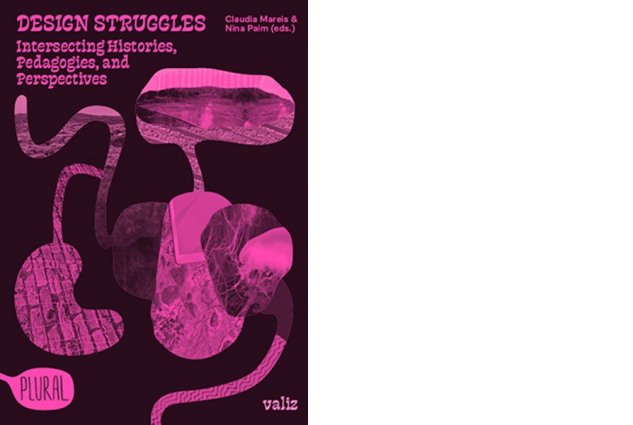
Credit: valiz.nl
Learning From Mistakes
Design can be challenging. Learning from mistakes is crucial in this process. Mistakes are opportunities to grow. They teach us what not to do. They help us improve our skills. Let’s explore how to learn from these mistakes.
Analyzing Failed Projects
Analyzing failed projects can be insightful. Start by identifying what went wrong. Was it the layout, color scheme, or typography? Make a list of all the issues. Discuss these with your team. Different perspectives can offer new insights.
Next, compare your work with successful designs. What do they do differently? Note down the key differences. This can guide your future projects. You can use a table to compare your design with a successful one.
| Aspect | Failed Design | Successful Design |
|---|---|---|
| Layout | Cluttered | Organized |
| Color Scheme | Inconsistent | Harmonious |
| Typography | Unreadable | Clear |
Embracing Iteration
Embracing iteration is key to good design. Don’t expect perfection in the first attempt. Design is an ongoing process. Start with a rough draft. Get feedback from peers. Implement changes based on the feedback. Repeat this cycle.
Iteration helps refine your design. It reveals flaws you might have missed. Each cycle brings you closer to a better design. Here are some steps to embrace iteration:
- Create a prototype.
- Gather feedback.
- Make necessary changes.
- Test the updated design.
- Repeat the process.
Remember, iteration is not failure. It’s a step towards improvement. Each iteration is a chance to learn and grow. This mindset will help you become a better designer.
Exploring New Tools
Designers often struggle with finding the right tools. Exploring new tools can spark creativity and improve your workflow. Let’s dive into different tools you can try.
Digital Design Software
Digital design software offers many options. Some popular choices include:
- Adobe Photoshop: Great for photo editing and graphic design.
- Adobe Illustrator: Ideal for vector graphics and illustrations.
- Sketch: Used for web and mobile UI design.
- Figma: Collaborative tool for UI and UX design.
- Canva: Easy-to-use for social media graphics.
These tools have unique features. Choose based on your needs.
Analog Techniques
Sometimes, going back to basics helps. Analog techniques include:
- Sketching: Use pencils, pens, or markers. Sketching helps visualize ideas quickly.
- Collaging: Cut and paste images from magazines. Create mood boards or inspiration boards.
- Painting: Watercolors, acrylics, or oils. Experiment with colors and textures.
- Printmaking: Techniques like screen printing or block printing. Produce unique textures and patterns.
Analog methods can be refreshing. They offer a tactile experience.
In conclusion, struggling with design is common. Exploring new tools can help. Try digital software or analog techniques. Find what works best for you.

Credit: www.reddit.com
Balancing Work And Rest
Balancing work and rest is vital for any designer. Long hours at the desk can lead to burnout. Regular breaks can help maintain creativity and productivity. This section explores the importance of breaks and how to avoid burnout.
Importance Of Breaks
Taking breaks is essential. It helps refresh your mind and body. Short breaks can boost your focus and energy. Regular pauses can prevent mental fatigue. A break can be as simple as a 5-minute walk.
| Activity | Duration |
|---|---|
| Stretching | 5 minutes |
| Walking | 10 minutes |
| Deep Breathing | 5 minutes |
Avoiding Burnout
Burnout is a serious issue. It can affect your health and work quality. To avoid burnout, set clear boundaries. Don’t work beyond your limits. Prioritize tasks and manage your time wisely.
- Set realistic goals
- Take regular breaks
- Stay organized
- Get enough sleep
Remember, your health comes first. Balance work and rest to maintain a healthy workflow.
Frequently Asked Questions
What Is Design Struggle?
Design struggle refers to difficulties in creating visually appealing and functional designs. It involves challenges in choosing colors, layouts, and elements that work together harmoniously.
How Can I Improve My Design Skills?
Improving design skills involves practice, studying design principles, and seeking feedback. Use design tools and resources to enhance your knowledge and creativity.
Why Is Design Important?
Design is crucial as it impacts user experience and brand perception. Good design attracts and retains users, making your content or product more effective and appealing.
What Are Common Design Mistakes?
Common design mistakes include cluttered layouts, poor color choices, and inconsistent typography. These errors can confuse users and reduce the effectiveness of your design.
Conclusion
Struggling with design can feel overwhelming, but don’t give up. Break down tasks into smaller steps. Seek inspiration from various sources. Experiment and learn from mistakes. Collaboration often sparks new ideas. Remember, improvement comes with practice. Keep refining your skills.
Stay patient and persistent. Your design journey is unique and valuable. Keep pushing forward, and success will follow.