

Website Analytics is crucial for understanding your site’s performance. It helps you track visitors and their behavior.
In the digital age, having a website is not enough. You need to know how well it’s doing. Website Analytics offers insights into your audience. It shows you where visitors come from and what they do on your site. This data is essential for making informed decisions.
It helps improve user experience and boost engagement. By analyzing this information, you can optimize your content and marketing strategies. Ultimately, Website Analytics helps you achieve your business goals. Dive in to learn more about the importance of Website Analytics and how it can benefit your site.
Introduction To Website Analytics
Welcome to the fascinating world of Website Analytics. In today’s digital age, understanding your website’s performance is vital. Website analytics helps you gain insights into user behavior, engagement, and areas of improvement. This blog post will introduce you to the basics of website analytics. You’ll learn why analytics are essential and how they work.
Importance Of Analytics
Website analytics plays a crucial role in your digital strategy. Here are some reasons why:
- Understand User Behavior: Know how visitors interact with your site.
- Improve User Experience: Identify areas that need enhancement.
- Measure Performance: Track key performance indicators (KPIs).
- Optimize Content: See which content resonates with your audience.
- Boost Conversions: Increase your site’s effectiveness in achieving goals.
Analytics provide valuable data that helps make informed decisions. This data-driven approach can significantly impact your website’s success.
How Analytics Work
Website analytics tools collect data from various sources. Here’s a simplified breakdown of how they function:
- Tracking Code: A small piece of code is added to your website’s pages. This code collects data on user interactions.
- Data Collection: The tracking code gathers information like page views, clicks, and time spent on pages.
- Data Processing: The collected data is processed and organized into meaningful insights.
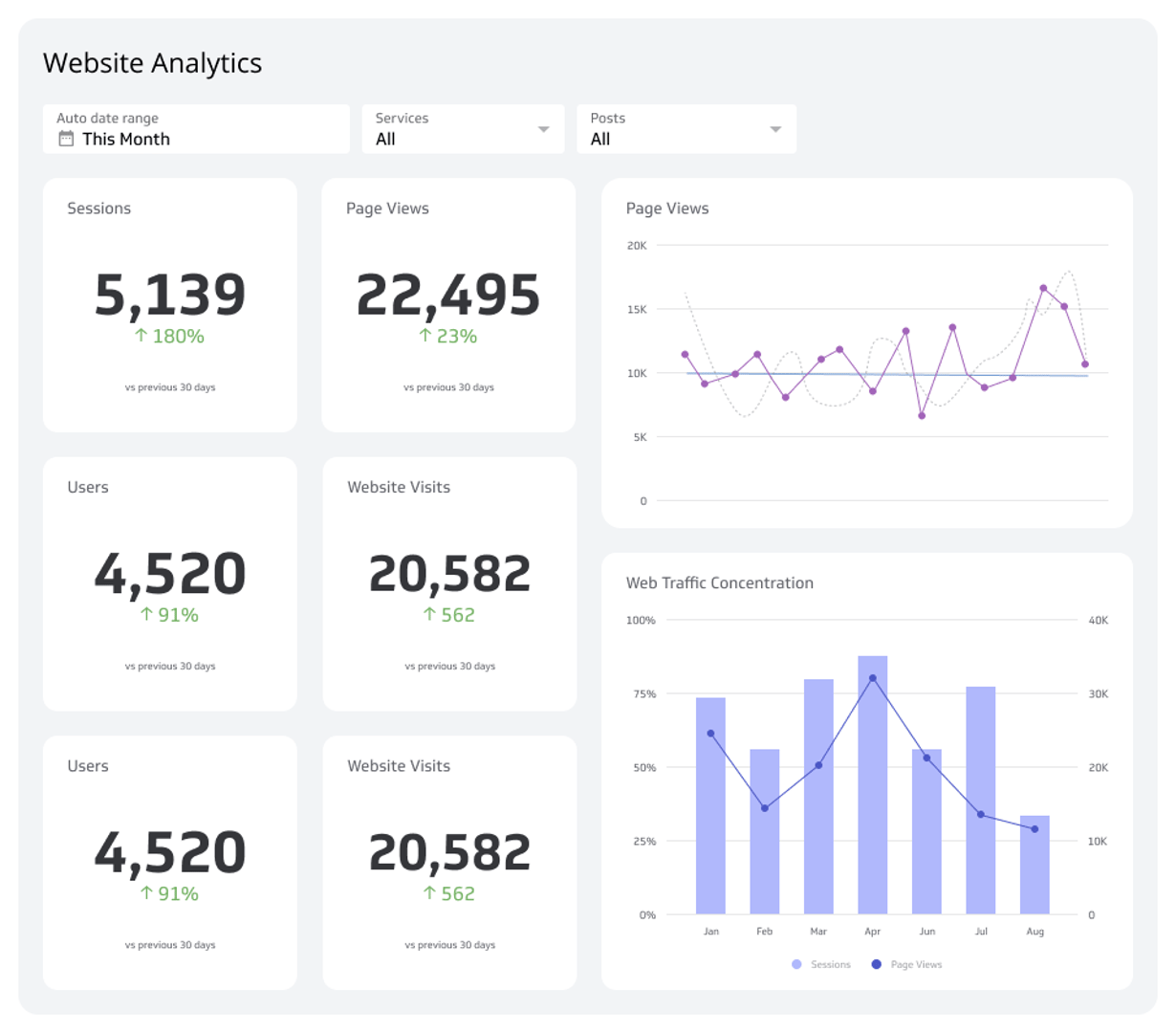
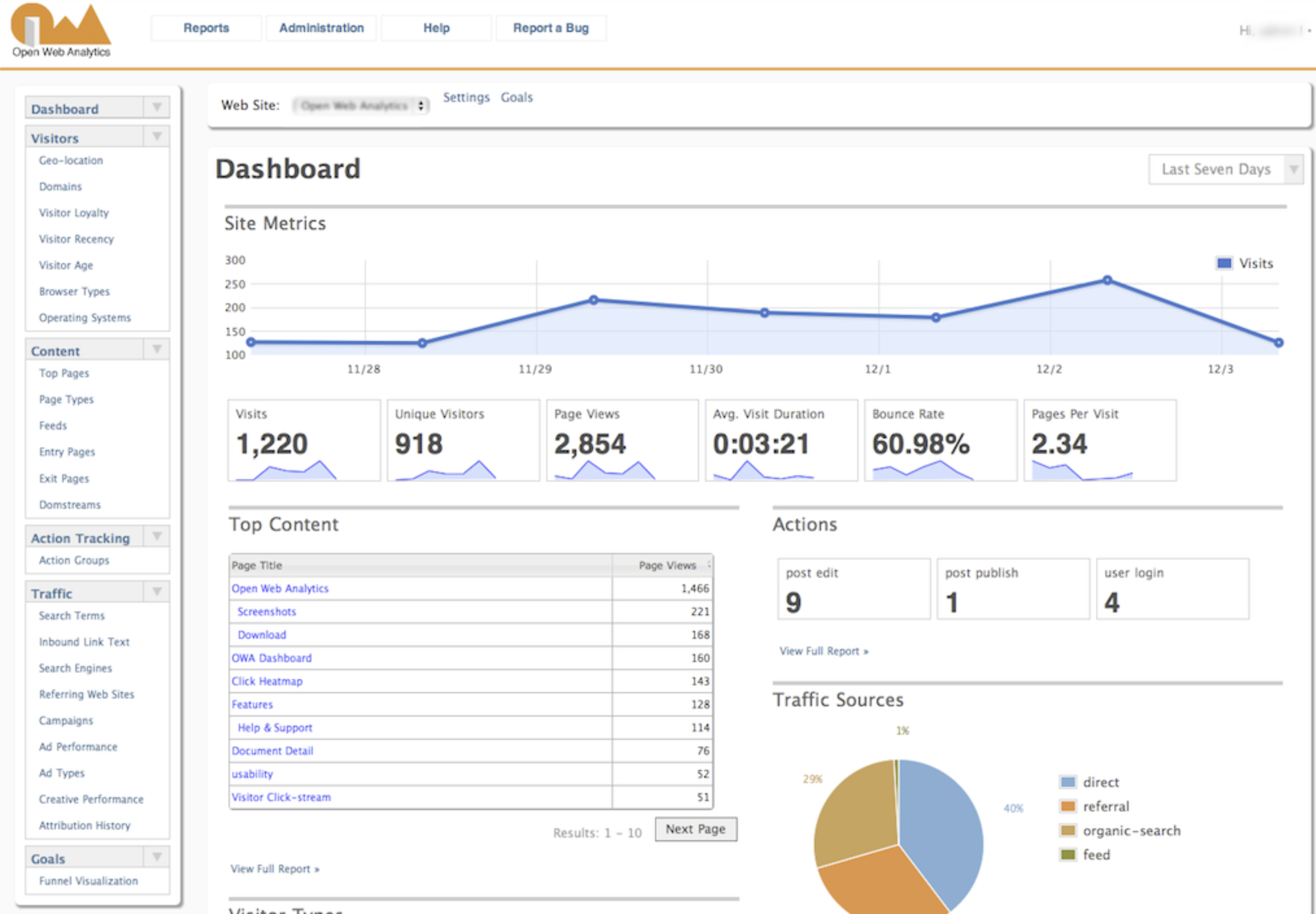
- Reporting: Analytics tools present the data in reports, charts, and graphs. This makes it easier to understand and analyze.
Common analytics tools include Google Analytics, Adobe Analytics, and Matomo. These tools offer various features to help you monitor and optimize your website effectively.
Credit: www.klipfolio.com
Setting Up Analytics Tools
Understanding your website’s performance is essential. Analytics tools help you track visitors, user behavior, and conversion rates. Setting up these tools correctly ensures you get accurate data.
Choosing The Right Tools
There are many analytics tools available. Selecting the right one depends on your needs.
- Google Analytics: Free and widely used. It tracks detailed website data.
- Matomo: Open-source and offers full ownership of your data.
- Hotjar: Provides heatmaps and session recordings. Useful for understanding user behavior.
- Crazy Egg: Similar to Hotjar. Offers heatmaps and A/B testing.
Compare features and costs. Choose the tool that fits your goals.
Installation And Configuration
Once you’ve selected an analytics tool, it’s time to install and configure it on your website.
| Tool | Installation Steps |
|---|---|
| Google Analytics |
|
| Matomo |
|
| Hotjar |
|
| Crazy Egg |
|
After installation, configure your tool to track relevant data. Set up goals, filters, and custom reports. This ensures your data is meaningful and actionable.
Key Metrics To Track
Understanding website analytics is crucial for improving your online presence. Tracking the right key metrics helps you make informed decisions. This section covers the most important metrics to track.
Traffic Sources
Knowing where your visitors come from is essential. Traffic sources include:
- Direct Traffic: Visitors who type your URL directly into their browser.
- Referral Traffic: Visitors who click on links from other websites.
- Organic Traffic: Visitors who find your site through search engines.
- Paid Traffic: Visitors who come from paid ads.
- Social Traffic: Visitors who arrive from social media platforms.
User Behavior
Understanding how users interact with your site is vital. Key metrics include:
| Metric | Description |
|---|---|
| Page Views | The total number of pages viewed. |
| Average Session Duration | The average time users spend on your site. |
| Bounce Rate | The percentage of visitors who leave after viewing one page. |
| Pages per Session | The average number of pages viewed per session. |
| New vs. Returning Visitors | The ratio of first-time visitors to returning visitors. |
Tracking these user behavior metrics helps you understand user engagement. It shows what works well and what needs improvement.
Understanding Audience Demographics
Understanding audience demographics is crucial for any website owner. It helps in creating content that resonates with your visitors. Knowing who your audience is can improve your site’s performance. Let’s dive into two key areas: Age and Gender and Geographic Location.
Age And Gender
Knowing the age and gender of your audience is essential. It helps in tailoring your content to their preferences. Here’s how you can analyze these metrics:
- Use tools like Google Analytics.
- Check the “Audience” section.
- Look for “Demographics Overview.”
You will see age groups like 18-24, 25-34, and so on. Each age group has different interests and needs. For example:
| Age Group | Interests |
|---|---|
| 18-24 | Trendy content, social media |
| 25-34 | Career advice, lifestyle tips |
| 35-44 | Family, finance management |
Gender also plays a significant role. Men and women might prefer different types of content. For instance:
- Men might be interested in tech reviews.
- Women might prefer beauty tips.
Geographic Location
The geographic location of your audience is another vital metric. It helps in understanding where your visitors come from. Here’s how to analyze this data:
- Go to the “Audience” section in Google Analytics.
- Check the “Geo” tab.
- Select “Location.”
You will see a map and a list of countries. This information is beneficial in several ways:
- Tailoring content to regional interests.
- Understanding time zones for posting schedules.
- Localizing your SEO strategy.
For example, if most of your audience is from the US, you might want to post content during US peak hours. If a significant portion is from Spain, consider translating some of your content into Spanish.
Understanding these demographics can help you create more engaging and relevant content for your audience.
Analyzing User Behavior
Understanding user behavior on your website is essential. It helps you see how visitors interact with your content. This knowledge can improve your site’s performance. Let’s look at two key metrics: Page Views and Session Duration.
Page Views
Page Views count how many times a page is loaded. It’s a simple but powerful metric. It tells you which pages are popular. High page views mean users find the content engaging. Here’s why page views matter:
- Identify popular content
- Understand user interests
- Optimize underperforming pages
Track page views regularly. Use this data to refine your content strategy. Focus on what works best. Here is a basic example:
Page Title         | Page Views
------------------ | ----------
Homepage           | 500
Blog Post A        | 300
Contact Us         | 150
Session Duration
Session Duration measures the time users spend on your site. It indicates how engaging your content is. Longer session durations suggest users are interested. Here’s why session duration is important:
- Measures user engagement
- Identifies sticky content
- Helps improve user experience
Track session duration to see where users spend most time. If users leave quickly, consider improving the content. Here’s an example of session duration data:
Page Title         | Session Duration (minutes)
------------------ | ---------------------------
Homepage           | 3.5
Blog Post A        | 5.0
Contact Us         | 2.0
Use these insights to keep users engaged. Continuously monitor and adjust your content strategy. This will lead to a better user experience and improved website performance.
Conversion Tracking
Conversion tracking is essential for understanding your website’s performance. It helps you see how visitors engage with your site and if they take desired actions. These actions could include making a purchase, signing up for a newsletter, or filling out a contact form. By tracking conversions, you can optimize your website to increase these valuable actions.
Setting Goals
To start with conversion tracking, you need to set clear goals. Goals help you define what actions are valuable for your business. For example, a goal could be a completed purchase or a form submission.
Use SMART goals to make your objectives clear. SMART stands for Specific, Measurable, Achievable, Relevant, and Time-bound. Here are some examples:
- Specific: Increase newsletter sign-ups
- Measurable: Track 100 new sign-ups per month
- Achievable: Ensure the goal is realistic
- Relevant: Align with business objectives
- Time-bound: Achieve within three months
Measuring Success
Once goals are set, you need to measure success. Use tools like Google Analytics to track and analyze conversions. This data helps you understand which strategies are working.
Check the following metrics to measure success:
- Conversion Rate: The percentage of visitors who complete a goal
- Average Order Value: The average amount spent per transaction
- Return on Investment (ROI): The profit made from your marketing efforts
You can also use tables to compare performance over time:
| Month | Conversions | Conversion Rate | Average Order Value |
|---|---|---|---|
| January | 200 | 2% | $50 |
| February | 250 | 2.5% | $55 |
By measuring these metrics, you can identify areas for improvement. Make adjustments to your strategies to improve conversion rates and overall performance.
Improving User Experience
Website analytics play a crucial role in understanding user behavior. By analyzing data, you can enhance the user experience on your website. Let’s explore some key areas where improvements can be made.
Site Speed
Site speed is a critical factor for user satisfaction. Slow websites frustrate users and increase bounce rates. Ensure your site loads quickly by optimizing images, minifying CSS and JavaScript, and using a content delivery network (CDN).
Here are some tips to improve site speed:
- Optimize images: Compress and resize images.
- Minify CSS and JavaScript: Remove unnecessary code.
- Use a CDN: Distribute content across various servers.
Mobile Optimization
More users access websites via mobile devices. A mobile-friendly website enhances the user experience. Ensure your site is responsive and adapts to various screen sizes.
Consider these aspects for mobile optimization:
- Responsive design: Use flexible grids and layouts.
- Touch-friendly elements: Design buttons and links for easy tapping.
- Fast loading times: Optimize for slower mobile networks.
By focusing on site speed and mobile optimization, you can significantly improve user experience. These changes not only keep users happy but also boost your site’s performance in search engines.
Credit: www.hotjar.com
Reporting And Insights
Website analytics play a crucial role in understanding user behavior and improving site performance. The ‘Reporting and Insights’ section helps you make sense of your site’s data. This section explains how to create detailed reports and interpret the data for actionable insights.
Creating Reports
Creating reports is an essential part of website analytics. Reports summarize your website data, making it easier to understand and share.
- Select the right metrics: Focus on key performance indicators (KPIs) relevant to your goals.
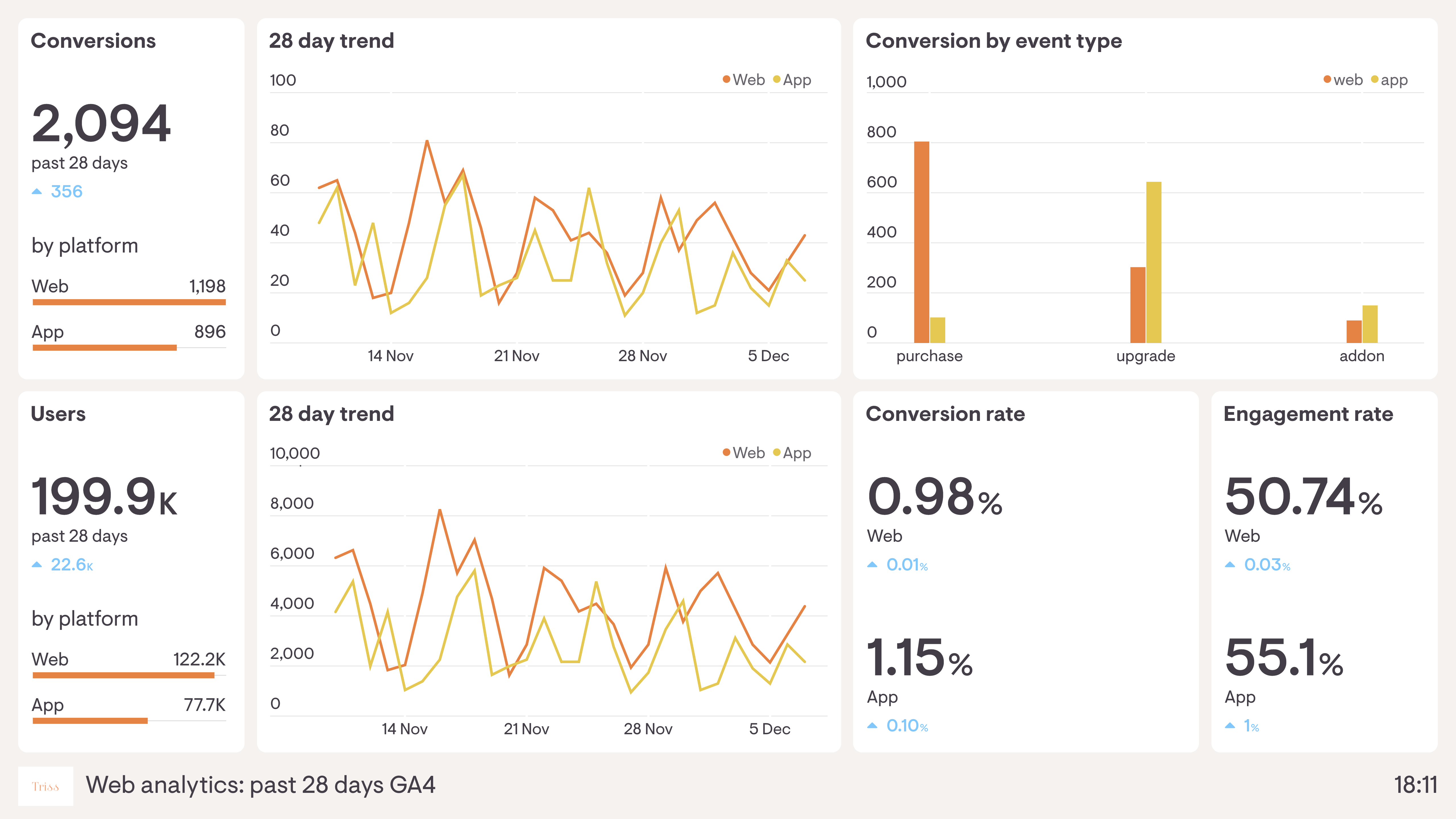
- Use visual aids: Include charts and graphs to make data more digestible.
- Organize data: Structure your report with clear headings and sections.
Below is an example of how to structure a basic report:
| Metric | Description | Value |
|---|---|---|
| Page Views | Number of pages viewed | 10,000 |
| Unique Visitors | Number of distinct visitors | 4,000 |
| Bounce Rate | Percentage of single-page visits | 50% |
Interpreting Data
Interpreting data helps you understand what the numbers mean for your website. This step is crucial for making informed decisions.
- Identify trends: Look for patterns in your data over time.
- Compare periods: Compare data from different time frames to spot changes.
- Analyze user behavior: Understand how users interact with your site.
For example, a high bounce rate might indicate that your content isn’t engaging. Or, a spike in page views could mean effective marketing. By interpreting these metrics, you can pinpoint areas for improvement and optimize your site.
Credit: www.geckoboard.com
Frequently Asked Questions
What Is Website Analytics?
Website analytics involves tracking and analyzing website visitor behavior. It helps understand user interactions, improve user experience, and optimize website performance.
Why Is Website Analytics Important?
Website analytics provides insights into user behavior. It helps improve website performance, enhance user experience, and increase conversions.
How Do I Use Website Analytics Tools?
To use website analytics tools, install tracking code on your website. Then, review data on user behavior, traffic sources, and conversions.
What Metrics Should I Track?
Track metrics like page views, bounce rate, session duration, and conversion rates. These metrics help understand user engagement and website performance.
Conclusion
Website analytics help improve your site’s performance. Understanding data can guide better decisions. Track visitor behavior to enhance user experience. Identify popular content to focus your efforts. Regularly review metrics to stay updated. Use insights to refine your strategies. Optimize your website for better engagement and results.
Analytics are essential for growth. Keep learning and adapting. Enhance your online presence effectively with informed choices.