

Website heatmaps are powerful tools for understanding user behavior. They visually represent how visitors interact with your site.
Curious about what users click on the most? Or where they tend to scroll? Website heatmaps provide these insights and more. These visual tools can help you identify popular areas on your site, highlight content that might be ignored, and even uncover potential issues in your design.
By using heatmaps, you can optimize your website, making it more user-friendly and effective. In this blog post, we’ll explore the different types of website heatmaps and how they can benefit your site. Ready to dive in and learn more? Let’s get started!
Introduction To Website Heatmaps
Website heatmaps are an essential tool for understanding user behavior on your site. They provide visual representations that highlight how visitors interact with different elements. Let’s dive deeper into what website heatmaps are and their significance in user experience (UX) design.
Definition And Purpose
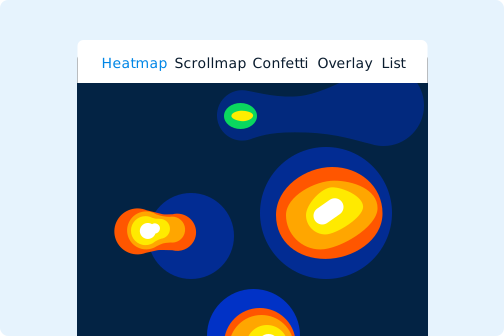
Website heatmaps are graphical representations of data that show how users navigate a website. These maps use colors to represent data values, with warmer colors indicating higher interaction levels.
The primary purpose of heatmaps is to help you understand which areas of your website are getting the most attention. This insight can guide you in making informed decisions to enhance user experience and site performance.
Importance In Ux Design
Heatmaps are crucial for UX design because they provide real-time insights into user behavior. They help identify which elements are engaging and which are being ignored.
Using heatmaps, designers can improve the layout, navigation, and overall user experience. This leads to higher user satisfaction and potentially increased conversions.
Here are some key benefits of using heatmaps in UX design:
- Identify popular content and elements.
- Understand user navigation patterns.
- Optimize call-to-action placements.
- Detect and fix usability issues.
Below is a simple representation of how heatmaps can be useful:
| Heatmap Type | Purpose |
|---|---|
| Click Maps | Show where users click the most. |
| Scroll Maps | Reveal how far users scroll down a page. |
| Move Maps | Track mouse movement to gauge user interest. |
In conclusion, website heatmaps provide invaluable insights that can greatly enhance UX design. By understanding user behavior, you can make strategic improvements to your site.
Credit: www.crazyegg.com
Types Of Website Heatmaps
Understanding the different types of website heatmaps can help you improve your site’s performance. Each type of heatmap provides unique insights into user behavior. This allows you to make data-driven decisions. Let’s explore the main types of website heatmaps.
Click Heatmaps
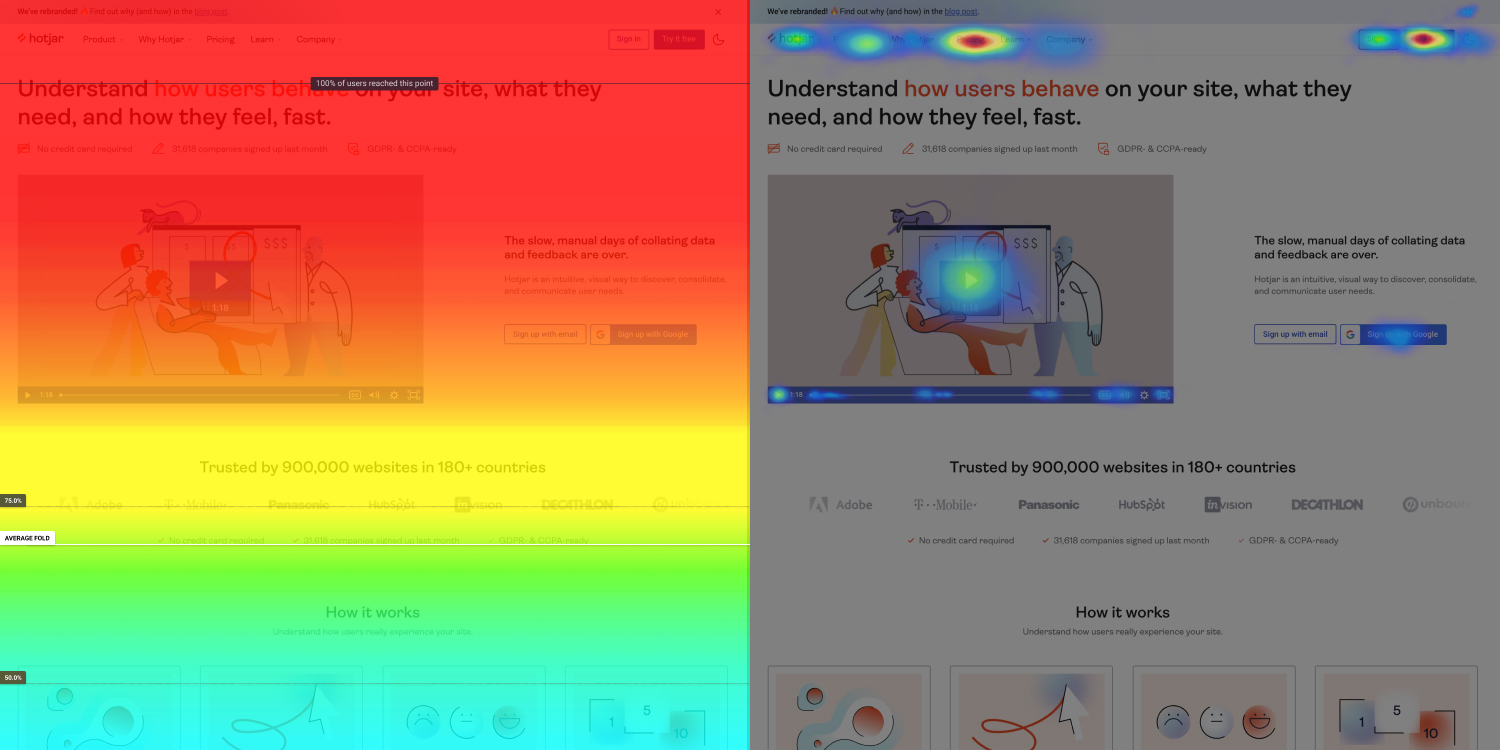
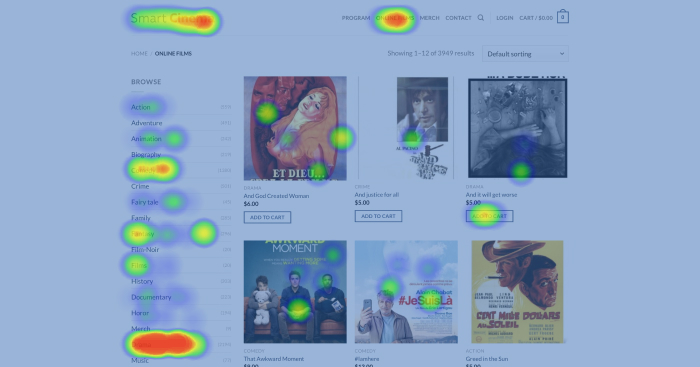
Click heatmaps show where users click on your website. These heatmaps highlight the most and least popular areas. By analyzing click heatmaps, you can see which buttons, links, or images get the most attention. Use this data to optimize your design and improve user experience.
Click heatmaps can also reveal unexpected user behavior. For example, users might click on non-clickable elements. This indicates a need for better visual cues or redesigning certain parts of your site.
Scroll Heatmaps
Scroll heatmaps track how far users scroll down a page. These heatmaps help identify where users lose interest. You can see which sections are most engaging and which need improvement. This is especially useful for long pages with lots of content.
With scroll heatmaps, you can determine the optimal length for your content. Place important information and call-to-action buttons where users are more likely to see them.
Move Heatmaps
Move heatmaps capture mouse movements on your site. They show where users move their cursor. This gives insight into how users navigate and explore your content. Move heatmaps can help you understand user attention and identify areas of confusion.
By studying move heatmaps, you can improve the layout and design of your pages. Make sure users find the information they need quickly and easily.
In conclusion, each type of website heatmap offers valuable insights. Use them to enhance user experience and optimize your site’s performance.
Benefits Of Using Heatmaps
Website heatmaps provide visual insights into user behavior. These insights can help improve website performance. By analyzing heatmaps, you can make data-driven decisions.
Improved User Engagement
Heatmaps show where users click, scroll, and hover. This information helps understand what grabs their attention.
- Identify popular areas on your site.
- Discover elements that distract users.
- Optimize content placement for better engagement.
With this data, you can enhance the user experience. This leads to increased time spent on your site.
Enhanced Conversion Rates
Heatmaps provide insights into user journeys. This helps identify and fix issues in the conversion process.
- Pinpoint where users drop off.
- Understand which elements attract clicks.
- Optimize call-to-action buttons.
By using heatmaps, you can improve your conversion rates. This leads to higher sales and sign-ups.
| Benefit | Description |
|---|---|
| Improved User Engagement | Understand user behavior and optimize accordingly. |
| Enhanced Conversion Rates | Identify issues in the user journey and fix them. |
How To Implement Heatmaps
Implementing heatmaps on your website can provide valuable insights into user behavior. Understanding how visitors interact with your site helps improve user experience and conversion rates. Below, we will guide you through the process of implementing heatmaps, including selecting the right tool and installing heatmap software.
Selecting The Right Tool
First, you need to select a heatmap tool that fits your needs. There are several tools available, each offering different features and pricing plans. Consider the following factors when choosing:
- Budget: Look for a tool that fits within your budget. Some tools offer free basic plans.
- Features: Identify the features you need. Common features include click heatmaps, scroll maps, and session recordings.
- Ease of Use: Choose a tool that is user-friendly. Ensure it has a simple interface and easy setup process.
- Integration: Ensure the tool integrates with your existing systems. Check for compatibility with your CMS or analytics platform.
Popular heatmap tools include Hotjar, Crazy Egg, and Mouseflow. Compare their features and pricing before making a decision.
Installing Heatmap Software
Once you have selected a tool, follow these steps to install the heatmap software:
- Sign Up: Create an account on the heatmap tool’s website. Provide the necessary information and choose a plan.
- Get Tracking Code: After signing up, you will receive a tracking code. This code needs to be added to your website.
- Add Code to Website: Insert the tracking code into the header section of your website. This can usually be done through your CMS or by editing the HTML.
- Verify Installation: Check if the code is working. Most tools have a verification step to ensure correct installation.
- Start Tracking: Once installed, the heatmap tool will start collecting data. It may take a few hours or days to gather enough data for analysis.
After installation, you can start analyzing the heatmaps. Look for patterns and areas where users are most engaged. Use these insights to make data-driven decisions and improve your website’s performance.
Analyzing Heatmap Data
Understanding how users interact with your website is crucial. Heatmaps provide visual insights into user behavior. They help you see where users click, scroll, and move their mouse. But to get the most out of heatmaps, you need to analyze the data effectively. This section will guide you through the process.
Identifying User Patterns
Identifying user patterns is the first step in analyzing heatmap data. Look at the areas with the most activity. These spots often indicate high user interest. Are users clicking on images, buttons, or text?
- High click areas show popular content.
- Low click areas might need improvement.
Use this information to adjust your website layout. Make important elements more prominent. Ensure navigation is easy and intuitive.
Spotting Pain Points
Spotting pain points is another key aspect of heatmap analysis. Pain points are areas where users struggle. They might click on non-clickable elements. Or, they may repeatedly click on a button that does not work.
Create a table to track common pain points:
| Pain Point | Possible Issue | Action |
|---|---|---|
| Clicking non-clickable images | Users expect interactivity | Make images clickable or add links |
| Repeated clicks on a button | Button not working or slow | Fix the button functionality |
| Scrolling past important content | Content not engaging | Revise content to capture interest |
Address these pain points to enhance user experience. Fixing these issues can lead to higher engagement and conversions.
Case Studies
Website heatmaps are powerful tools for understanding user behavior. They help businesses optimize their websites. Let’s explore real-world examples of successful heatmap implementations. These case studies highlight the lessons learned from each project.
Successful Implementations
Heatmaps have been used by various companies to improve their websites. Here are some successful implementations:
| Company | Objective | Result |
|---|---|---|
| ABC Corp | Reduce bounce rate | 20% decrease in bounce rate |
| XYZ Ltd | Increase conversions | 15% increase in conversions |
| 123 Inc | Improve user engagement | 25% increase in engagement |
Lessons Learned
Each case study provides valuable lessons. Here are some key takeaways:
- ABC Corp: Optimizing the homepage reduces bounce rates. Focus on main content.
- XYZ Ltd: Simplifying the checkout process increases conversions. Remove unnecessary steps.
- 123 Inc: Engaging content keeps users on the site longer. Use interactive elements.
These case studies show the importance of understanding user behavior. They highlight the benefits of using heatmaps to optimize websites. By learning from these examples, businesses can improve their own sites.
Common Mistakes To Avoid
Website heatmaps are powerful tools. They visualize user interaction on web pages. But, many make mistakes while interpreting these maps. Avoiding common mistakes can maximize the value of heatmaps.
Misinterpreting Data
One common mistake is misinterpreting data. Heatmaps show user clicks, scrolls, and movements. But, they don’t explain user behavior. Misreading these signals can lead to poor decisions.
For example, a high click rate on an element may seem good. But, if users click out of confusion, it’s an issue. Always consider the context of clicks. Analyze what users expect to find.
Another example is scroll depth. A deep scroll might indicate interest. Or, it could show users are searching for missing information. Look beyond the colors and patterns. Understand the reasons behind user actions.
Ignoring User Context
Ignoring user context is another frequent error. Users interact differently based on their goals. A heatmap can’t tell you user intent. Different users may click the same spot for various reasons.
Consider user demographics. Age, gender, and location can affect behavior. A young user may navigate differently than an older one. Ensure your analysis includes user context.
Also, think about device usage. Mobile and desktop users have different experiences. Heatmaps should be segmented by device type. This helps in understanding diverse user interactions.
Lastly, remember the time factor. User behavior changes over time. A heatmap from last month may not be relevant today. Regularly update and review heatmaps for accurate insights.
Credit: www.fullsession.io
Future Of Heatmaps In Ux
The future of heatmaps in UX looks promising and exciting. These tools are evolving rapidly. They help designers understand user behavior better. As technology advances, heatmaps become more sophisticated. They provide deeper insights into user interactions.
Emerging Trends
Several trends are shaping the future of heatmaps. First, AI integration is a key trend. AI can analyze large data sets. This makes heatmaps more accurate. Another trend is real-time analysis. Designers can see user interactions as they happen. This helps in quick decision-making.
Mobile heatmaps are also gaining popularity. More users access websites through mobile devices. Understanding mobile user behavior is crucial. Heatmaps are adapting to this shift. They now provide insights specific to mobile users.
Lastly, heatmaps are becoming more user-friendly. They offer intuitive interfaces. This makes them accessible to non-technical users.
Innovative Use Cases
Heatmaps have many innovative uses in UX. One use is in A/B testing. Heatmaps show how different designs perform. This helps in choosing the best design.
Another use is in form analysis. Heatmaps identify where users drop off in forms. This helps in improving form completion rates.
Heatmaps are also used in content optimization. They show which parts of the content get the most attention. This helps in creating engaging content.
Additionally, heatmaps are useful in e-commerce. They show which products attract the most attention. This helps in optimizing product placement.
Finally, heatmaps are used in improving navigation. They show how users move through a website. This helps in creating a smoother user experience.
In summary, heatmaps are evolving. They offer valuable insights into user behavior. They are becoming more sophisticated and user-friendly. This makes them an essential tool in UX design.
Credit: www.smartlook.com
Frequently Asked Questions
What Are Website Heatmaps?
Website heatmaps are visual representations of user activity on a webpage. They help identify popular areas.
How Do Heatmaps Benefit Websites?
Heatmaps benefit websites by showing user behavior. They help improve design and user experience.
What Types Of Website Heatmaps Exist?
There are three main types: click heatmaps, scroll heatmaps, and move heatmaps. Each serves a different purpose.
How To Create A Website Heatmap?
To create a website heatmap, use tools like Hotjar or Crazy Egg. They provide detailed insights.
Conclusion
Website heatmaps provide valuable insights into user behavior. They highlight areas of interest and help improve user experience. By analyzing heatmaps, you can make data-driven decisions. This leads to more effective website changes. Implementing heatmaps can boost engagement and conversions.
Start using heatmaps today to understand your users better. This tool can truly enhance your website’s performance. Remember, small changes can make a big difference. Happy analyzing!