

In today’s digital age, a flawless website is crucial. Ensuring it works perfectly is vital for success.
Websites must be tested to catch bugs and improve performance. Testing tools help find issues before users do. They save time and ensure a smooth experience for visitors. With various tools available, choosing the right one can be tricky. Each tool offers unique features for different needs.
This blog will guide you through the world of website testing tools. We’ll explore their importance and how they enhance your site’s performance. Stay tuned to discover which tools can keep your website running smoothly and efficiently.
Introduction To Website Testing Tools
Website testing tools are essential for ensuring your site runs smoothly. They help identify issues, improve performance, and enhance user experience. This article will discuss the importance of website testing and the key features to look for in these tools.
Importance Of Website Testing
Website testing is crucial for several reasons:
- Performance: Ensures your website loads quickly and efficiently.
- Usability: Helps make your site user-friendly and accessible.
- Security: Identifies vulnerabilities and protects user data.
- Compatibility: Ensures your site works on various devices and browsers.
Neglecting website testing can lead to poor user experience and lost revenue. Regular testing helps catch issues early and maintain a high-quality website.
Key Features To Look For
When choosing a website testing tool, consider these key features:
- Automation: Automates repetitive tasks and saves time.
- Reporting: Provides detailed reports and analytics.
- Integration: Integrates with other tools and platforms.
- Scalability: Handles websites of all sizes and complexities.
- Ease of Use: User-friendly interface and easy setup.
These features ensure your testing process is efficient and effective. Select tools that match your needs and improve your website’s performance.
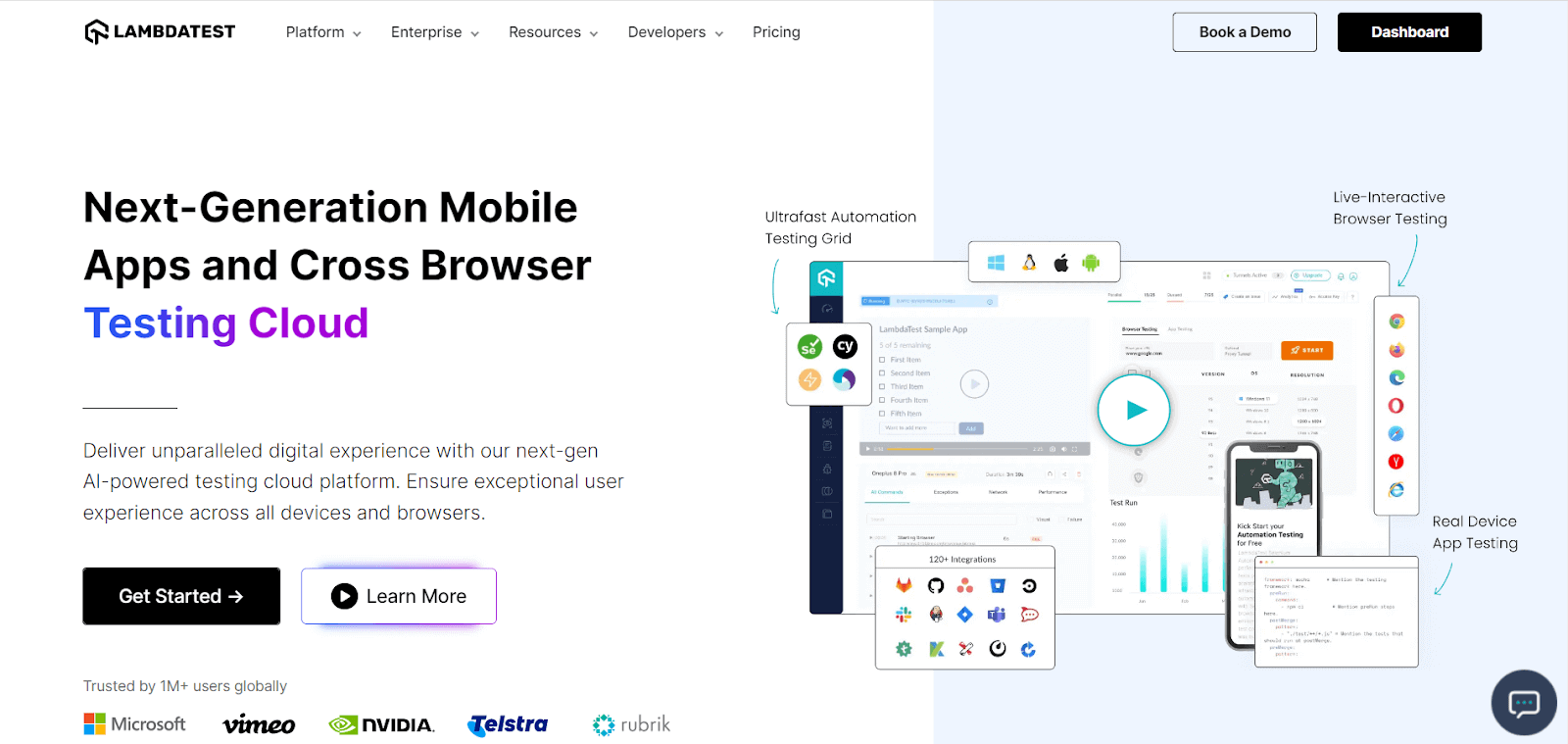
Credit: www.lambdatest.com
Performance Testing Tools
Performance testing tools are essential for ensuring your website runs smoothly. These tools help identify issues that can affect user experience. They test the speed, stability, and scalability of your website. Using these tools, you can find and fix problems before they affect real users.
Popular Performance Testing Tools
- JMeter: A popular open-source tool. It tests web applications and measures their performance.
- LoadRunner: A comprehensive tool from Micro Focus. It simulates thousands of users to test your website’s performance.
- Gatling: An open-source load testing tool. It provides high performance and easy integration.
- WebLOAD: A commercial tool. It offers advanced analytics and supports many technologies.
Benefits Of Performance Testing
Using performance testing tools provides several benefits:
- Improved User Experience: Fast and reliable websites keep users happy.
- Increased Conversion Rates: Users are more likely to convert if the website is quick and responsive.
- Reduced Downtime: Performance testing helps identify and fix issues before they cause downtime.
- Cost Savings: Early detection of problems saves money on fixes and lost revenue.
Incorporating these tools into your workflow ensures your website performs at its best. This leads to better user satisfaction and business success.
Load Testing Tools
In the digital world, ensuring your website can handle high traffic is crucial. This is where load testing tools come into play. These tools help simulate heavy loads on your site, revealing how it performs under stress. By using load testing tools, you can identify and fix performance issues before they affect real users.
Top Load Testing Tools
There are several load testing tools available, each with unique features. Here are some of the top options:
| Tool | Features | Pricing |
|---|---|---|
| Apache JMeter | Open-source, supports various protocols | Free |
| LoadRunner | Comprehensive testing, cloud support | Paid |
| BlazeMeter | Easy integration, real-time reporting | Freemium |
| Gatling | High performance, detailed reports | Open-source and Paid |
How Load Testing Works
Load testing is the process of putting demand on a system. This helps measure its response. Here’s how it typically works:
- Define Test Goals: Identify what you want to test.
- Set up Test Environment: Prepare the infrastructure.
- Create Test Scenarios: Simulate different user actions.
- Run Tests: Execute the load tests.
- Analyze Results: Look at the data to find performance issues.
During these steps, it’s important to monitor various metrics. These include response time, throughput, and error rates. By doing so, you can ensure your website performs well under stress.
Security Testing Tools
Security testing tools are essential for ensuring your website is safe from threats. These tools help identify vulnerabilities and protect sensitive data. By using security testing tools, you can prevent attacks and maintain user trust.
Essential Security Testing Tools
Having the right security testing tools is crucial. Below are some of the most commonly used tools:
- OWASP ZAP: A popular open-source tool for finding security flaws in web applications.
- Burp Suite: A powerful tool used for web application security testing.
- Nessus: Known for its vulnerability scanning capabilities, it helps detect potential security issues.
- Acunetix: A web vulnerability scanner that identifies and reports on a wide range of web security issues.
- Nmap: A network scanning tool used to discover hosts and services on a computer network.
Advantages Of Security Testing
Security testing offers many benefits for website owners. Here are some key advantages:
- Protects User Data: Ensures sensitive information is safe from breaches.
- Prevents Financial Loss: Avoids the costs associated with security incidents.
- Builds Trust: Users feel more confident using a secure website.
- Compliance: Helps meet legal and regulatory requirements for data protection.
- Maintains Reputation: A secure site preserves your brand’s reputation.
Using security testing tools is a smart investment. They help keep your website secure and protect your users.
Usability Testing Tools
Usability Testing Tools are essential for ensuring that a website is user-friendly and easy to navigate. These tools help identify potential issues that users may face while interacting with a website. By addressing these issues, businesses can improve user satisfaction and increase conversions. Below, we explore some of the best usability testing tools and how they contribute to improving user experience.
Best Usability Testing Tools
There are several usability testing tools available that can help you analyze your website’s performance. Here are some of the top tools:
| Tool | Description | Features |
|---|---|---|
| Hotjar | Hotjar is a powerful tool for understanding user behavior through heatmaps, session recordings, and surveys. |
|
| UserTesting | UserTesting provides real-time feedback from real users to improve your website’s usability. |
|
| Crazy Egg | Crazy Egg offers a suite of tools to help you visualize user interactions on your site. |
|
Improving User Experience
Improving user experience is crucial for the success of any website. Usability testing tools play a vital role in this process by providing insights into how users interact with your site. Here are some ways these tools can help improve user experience:
- Identifying navigation issues: Usability testing tools can highlight areas where users struggle to find what they need.
- Enhancing content layout: By analyzing heatmaps and session recordings, you can optimize the placement of content.
- Gathering user feedback: Surveys and live conversations provide valuable insights into user preferences and pain points.
- Reducing bounce rates: Identifying and fixing usability issues can lead to lower bounce rates and higher engagement.
- Boosting conversions: A better user experience often results in more conversions and increased revenue.
Credit: www.educba.com
Mobile Website Testing Tools
Mobile website testing tools are essential for ensuring a smooth and user-friendly experience. With the rise of mobile users, websites must perform well on various devices. These tools help developers identify issues and optimize their websites for mobile platforms.
Leading Mobile Testing Tools
Several tools dominate the market for mobile website testing. Each offers unique features and capabilities.
- BrowserStack: Allows testing on real devices, ensuring accurate results.
- LambdaTest: Supports automated and live testing on various browsers and devices.
- Applitools: Focuses on visual testing, ensuring your site looks great on all devices.
- TestComplete: Offers automated UI testing for both mobile and web applications.
Challenges In Mobile Testing
Testing mobile websites comes with its own set of challenges. Developers need to be aware of these to ensure thorough testing.
- Device Fragmentation: There are numerous devices with different screen sizes and resolutions.
- Operating System Variations: Different OS versions can affect website performance.
- Network Conditions: Mobile users may experience varied network speeds and stability.
- Touch Interfaces: Ensuring touch-friendly navigation is crucial for a smooth user experience.
Overcoming these challenges requires using the right tools and understanding the mobile landscape.
Automated Testing Tools
Automated testing tools have become crucial for modern web development. They help identify bugs and ensure the website functions smoothly. These tools simulate user actions and check if the website behaves as expected. Automated testing saves time and improves accuracy. Here, we explore some of the top automated testing tools and the benefits of automation.
Top Automated Testing Tools
Here are some of the best automated testing tools available:
- Selenium: An open-source tool that supports various programming languages.
- Katalon Studio: A comprehensive tool with a user-friendly interface.
- TestComplete: A powerful tool for desktop, mobile, and web applications.
- QTP/UFT: A commercial tool by Micro Focus with extensive features.
- SoapUI: Ideal for API testing and supports various protocols.
Benefits Of Automation
Automated testing offers several advantages:
- Time Efficiency: Automated tests run faster than manual tests.
- Accuracy: Reduces human errors and improves precision.
- Cost Savings: Long-term cost reduction by minimizing manual testing efforts.
- Reusability: Test scripts can be reused across different projects.
- Continuous Integration: Supports continuous testing in CI/CD pipelines.
Comparison Of Top Tools
| Tool | Pros | Cons |
|---|---|---|
| Selenium | Free, supports multiple languages | Steep learning curve |
| Katalon Studio | Easy to use, comprehensive | Limited customization |
| TestComplete | Supports various apps | High cost |
| QTP/UFT | Feature-rich | Expensive |
| SoapUI | Great for API testing | Can be complex |
Choosing The Right Tool
Choosing the right website testing tool is crucial. It helps ensure your site functions correctly and provides a good user experience. The right tool can save you time and money. It can also help you find issues before your users do.
Factors To Consider
When selecting a website testing tool, consider the following factors:
- Ease of Use: Is the tool easy to navigate and use?
- Compatibility: Does it support the browsers and devices your users use?
- Features: Does it offer the features you need, like load testing or security checks?
- Cost: Is it within your budget? Are there free trials?
- Support: Is customer support available when you need help?
Tool Comparison Guide
Here is a comparison of some popular website testing tools:
| Tool | Ease of Use | Compatibility | Features | Cost | Support |
|---|---|---|---|---|---|
| Selenium | Moderate | High | Automation, Cross-browser | Free | Community Support |
| TestCafe | High | High | End-to-End Testing | Free | Community Support |
| LoadRunner | Moderate | High | Load Testing | Paid | Professional Support |
| JMeter | Moderate | High | Performance Testing | Free | Community Support |
Each tool has its strengths and weaknesses. Consider what is most important for your needs. If you need strong support, a paid tool might be best. If you’re on a budget, look at free options.
Future Trends In Website Testing
Website testing is evolving rapidly. The future trends in website testing indicate significant advancements. With emerging technologies and predicted developments, the landscape of website testing is set to transform.
Emerging Technologies
New technologies are shaping website testing. Artificial Intelligence (AI) and Machine Learning (ML) are at the forefront. AI can automate test cases. ML can predict potential bugs. This saves time and improves accuracy.
Another emerging technology is Blockchain. It ensures data integrity and security. Blockchain is crucial for e-commerce sites. It keeps user data safe and transactions secure.
Internet of Things (IoT) is also gaining traction. IoT devices need thorough testing. Ensuring compatibility and performance is vital. Website testing tools are adapting to test IoT devices effectively.
Predicted Developments
The future holds exciting developments for website testing. One key development is Codeless Testing. Tools are becoming more user-friendly. This allows non-programmers to create tests. It bridges the gap between technical and non-technical teams.
Continuous Testing is another trend. It integrates testing into the development pipeline. Continuous testing ensures faster feedback. This accelerates the release cycle and reduces bugs.
Performance Testing will also advance. It will focus on user experience. Tools will simulate real-world conditions. This helps in understanding how a website performs under load.
| Technology | Benefits |
|---|---|
| AI and ML | Automate tests, predict bugs, save time |
| Blockchain | Ensure data integrity, security |
| IoT | Test device compatibility, performance |
Website testing tools will continue to evolve. These emerging technologies and predicted developments are just the beginning. The future of website testing looks promising and innovative.
Credit: advancedbytez.com
Frequently Asked Questions
What Are Website Testing Tools?
Website testing tools help ensure your website functions correctly. They test performance, usability, and security.
Why Use Website Testing Tools?
Using website testing tools ensures your site is user-friendly, fast, and secure. This improves user experience and SEO.
How Do Website Testing Tools Work?
Website testing tools simulate user interactions. They identify bugs, performance issues, and security vulnerabilities.
Are Website Testing Tools Expensive?
Many website testing tools offer free versions. Premium versions provide advanced features and are usually affordable.
Conclusion
Choosing the right website testing tools is crucial. They ensure your site performs well. Users expect fast load times and smooth navigation. Testing tools help find issues early. Fixing these issues improves user experience. Better user experience means more satisfied visitors.
Satisfied visitors return and recommend your site. Invest time in testing tools. Your site’s performance will thank you. Happy testing!