

A/B testing helps you understand what works best on your website. It shows which changes can lead to better results.
Choosing the right A/B testing software can be challenging. A/B testing software can simplify your decision-making process. These tools allow you to test different elements of your site, like headlines, buttons, or images, to see which version performs better. With many options available, finding the best software can be tough.
The right tool depends on your specific needs, budget, and technical expertise. This guide will introduce you to some top A/B testing software recommendations. We will explore features, ease of use, and pricing to help you make an informed choice. By the end, you’ll know which software fits your needs best.
Introduction To A/b Testing
A/B testing is a powerful method to optimize your website. It helps in understanding what works best for your audience. By comparing two versions of a webpage, you can see which one performs better. This process can lead to improved user experience and increased conversions.
What Is A/b Testing?
A/B testing involves creating two versions of a webpage. These versions are known as A and B. Visitors are split into two groups, with each group seeing a different version. By comparing the performance of each version, you can determine which one is more effective.
Here is a simple example:
| Version | Element | Change |
|---|---|---|
| A | Button Color | Blue |
| B | Button Color | Green |
In this case, you are testing which button color gets more clicks.
Importance Of A/b Testing
A/B testing is crucial for several reasons. It helps in making data-driven decisions. Instead of guessing, you rely on actual data. This leads to better results and higher ROI.
Here are some key benefits:
- Improved Conversion Rates: Identify which elements drive more conversions.
- Better User Experience: Understand what users prefer and improve the site accordingly.
- Reduced Bounce Rates: Discover elements that keep users engaged.
By conducting A/B tests, you can optimize your site continually. This ensures you meet your business goals effectively.
Key Features Of A/b Testing Tools
A/B testing tools are essential for optimizing user experiences and improving conversion rates. Choosing the right tool can make a significant difference in your testing effectiveness. Below, we discuss the key features to look for in A/B testing tools.
Ease Of Use
One crucial feature is ease of use. A/B testing tools should be intuitive and user-friendly. This helps users set up tests quickly without needing extensive technical knowledge. Look for a tool with a clean interface and clear instructions. Drag-and-drop functionality and step-by-step guides are also beneficial.
Integration Capabilities
Integration capabilities are vital for seamless workflow. The best A/B testing tools easily integrate with popular platforms and software. Ensure the tool you choose supports integration with your content management system (CMS), customer relationship management (CRM) software, and analytics tools. A few examples include:
- WordPress
- Shopify
- Google Analytics
- Salesforce
Analytics And Reporting
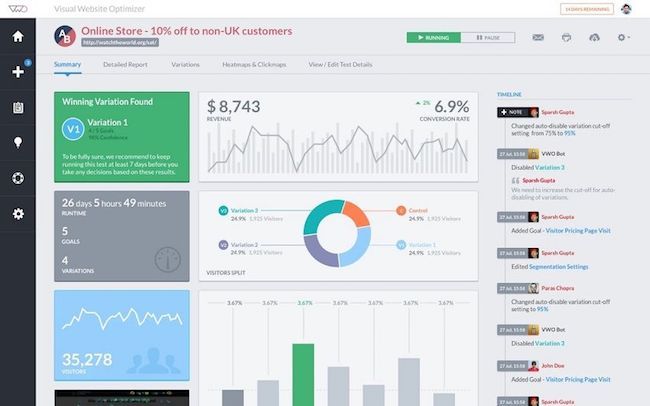
Analytics and reporting features are essential for understanding test results. A/B testing tools should provide detailed, easy-to-understand reports. These reports should include metrics like conversion rates, user behavior, and statistical significance.
Look for tools that offer:
- Real-time data
- Customizable reports
- Visual representation of data
- Segmentation capabilities
Having robust analytics helps make informed decisions based on test results.
Top A/b Testing Tools
Finding the right A/B testing tool can be a game-changer for your business. The right tool helps you understand user behavior and make data-driven decisions. Below, we explore the top A/B testing tools to consider for your needs.
Overview Of Leading Tools
Several A/B testing tools stand out for their unique features and ease of use. Here are some top contenders:
- Optimizely: Known for its robust features and user-friendly interface.
- VWO (Visual Website Optimizer): Offers a simple drag-and-drop editor.
- Google Optimize: Integrates well with Google Analytics.
- Adobe Target: Suitable for enterprises needing advanced targeting.
- Convert: Focuses on privacy and compliance.
Comparison Criteria
To choose the best A/B testing tool, consider the following criteria:
| Criteria | Details |
|---|---|
| Ease of Use | How intuitive is the interface? Does it have a drag-and-drop editor? |
| Integration | Does it integrate with your existing tools like Google Analytics? |
| Features | What types of tests can you run? Are there advanced targeting options? |
| Pricing | Is it affordable? Are there free trials or tiers? |
| Support | What kind of customer support is available? Is there a community forum? |
Evaluating tools based on these criteria ensures you choose the best fit. Each tool has strengths and weaknesses, so consider your specific needs. Do you need advanced features or simple integration?
Optimizely
Optimizely is a powerful A/B testing software designed to help businesses enhance their website performance. It offers a range of features that make it easy to run experiments and improve user experience. This section will delve into the features and benefits of Optimizely, along with its pricing and plans.
Features And Benefits
Optimizely provides a wealth of features that make it an excellent choice for A/B testing. Here are some of the key features:
- Visual Editor: Allows users to create and modify experiments without coding.
- Multi-Page Experimentation: Test changes across multiple pages to see the overall impact.
- Real-Time Results: Access experiment results in real-time to make informed decisions quickly.
- Advanced Targeting: Target specific user segments for more accurate results.
- Integration: Seamlessly integrates with other tools such as Google Analytics, Adobe Analytics, and more.
The main benefits of using Optimizely include:
- Improved User Experience: By testing different variations, you can find the most effective design for users.
- Increased Conversion Rates: Optimize your website to convert more visitors into customers.
- Data-Driven Decisions: Make decisions based on actual user data rather than assumptions.
Pricing And Plans
Optimizely offers different pricing plans to cater to various business needs. Here’s a summary:
| Plan | Features | Price |
|---|---|---|
| Starter | Basic A/B Testing, Visual Editor, Reporting | Contact for Pricing |
| Professional | All Starter Features, Multi-Page Testing, Advanced Targeting | Contact for Pricing |
| Enterprise | All Professional Features, Custom Integrations, Priority Support | Contact for Pricing |
For detailed pricing information, visit Optimizely’s official website or contact their sales team.
Vwo (visual Website Optimizer)
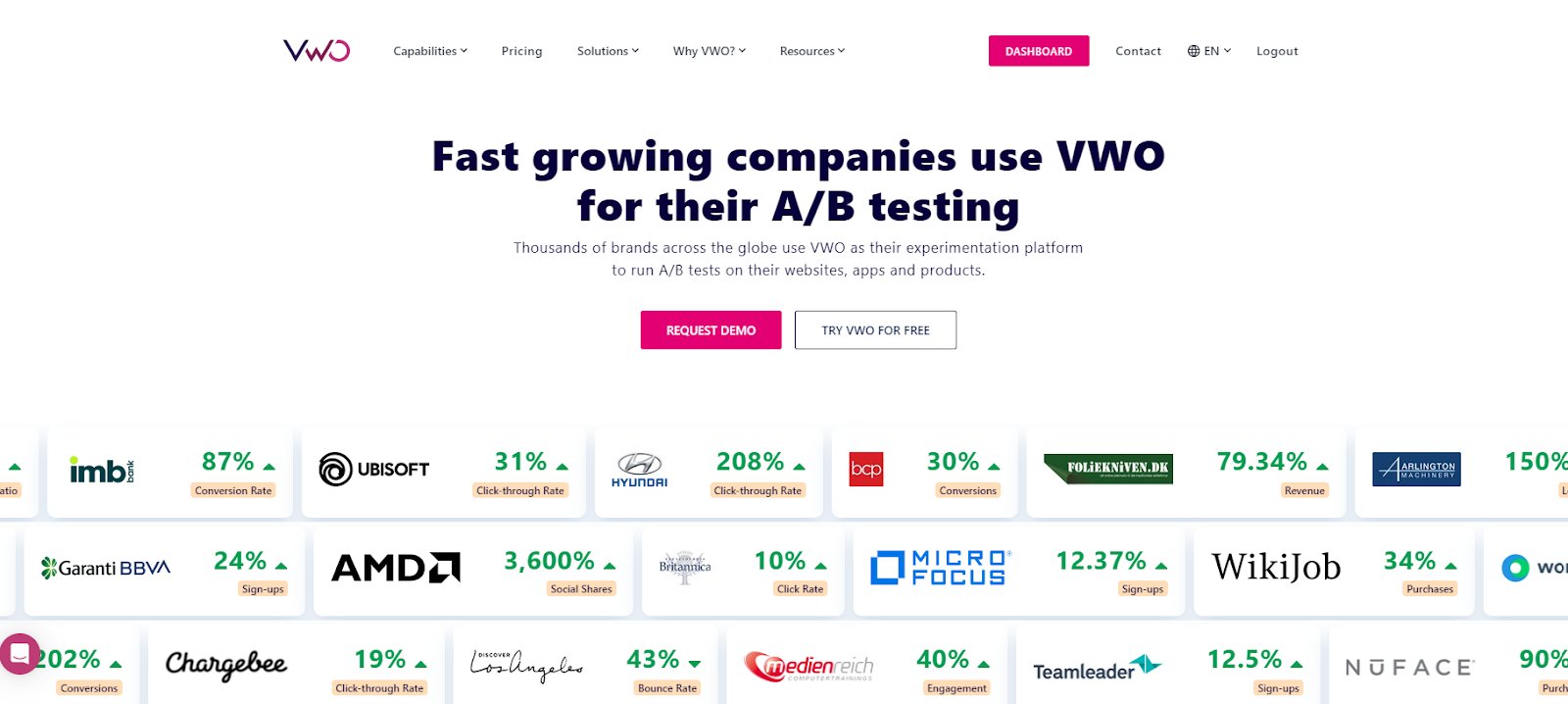
VWO is a powerful tool for A/B testing. It helps optimize website performance. Marketers and analysts use it for data-driven decisions. VWO offers a user-friendly interface and robust features.
Features And Benefits
VWO provides many features to enhance your website’s performance. Here are some key features:
- Visual Editor: Easily create and edit tests without coding skills.
- A/B Testing: Compare two versions of a page to see which performs better.
- Multivariate Testing: Test multiple changes simultaneously for complex optimizations.
- Heatmaps: Visualize user behavior on your website.
- Session Recordings: Watch recordings of user sessions to identify issues.
- Funnel Analysis: Track and analyze user journeys through your site.
These features provide valuable insights. They help improve user experience and conversion rates. The benefits of using VWO include:
- Increased Conversions: Identify and implement high-performing variations.
- Better User Experience: Understand user behavior and make data-driven improvements.
- Reduced Bounce Rates: Optimize pages to keep users engaged.
- Improved ROI: Make informed decisions to maximize marketing efforts.
Pricing And Plans
VWO offers flexible pricing plans to suit different needs. Here is an overview of their plans:
| Plan | Features | Pricing |
|---|---|---|
| Free Trial | Basic A/B testing features | Free for 30 days |
| Growth | All A/B testing features, heatmaps, session recordings | Contact for pricing |
| Pro | Advanced features, priority support | Contact for pricing |
| Enterprise | Custom solutions, dedicated support | Contact for pricing |
VWO’s pricing plans cater to businesses of all sizes. From startups to large enterprises, there’s a plan for everyone. Each plan offers different features and levels of support. This ensures you get the right tools for your needs.
Credit: unbounce.com
Google Optimize
Google Optimize is a powerful A/B testing tool by Google. It helps businesses improve their websites through experimentation. With Google Optimize, you can test different versions of your web pages to see which one performs better. This tool is great for increasing conversions and enhancing user experience. Let’s dive into the details.
Features And Benefits
Google Optimize offers many features to help you run effective A/B tests. Here are some of the key features:
- Visual Editor: Make changes to your web pages without coding skills.
- Targeting Options: Target specific user segments for your tests.
- Integration with Google Analytics: Use data from Google Analytics to inform your tests.
- Multivariate Testing: Test multiple elements on a page simultaneously.
- Split URL Testing: Test different URLs against each other.
- Advanced Reporting: Get detailed reports on test performance.
Using Google Optimize can lead to many benefits:
- Improved Conversion Rates: Identify the best-performing variations to increase conversions.
- Enhanced User Experience: Make data-driven decisions to enhance user experience.
- Cost-Effective: Free to use, with advanced features available in paid plans.
- Easy to Use: Simple interface that allows quick setup and execution of tests.
Pricing And Plans
Google Optimize offers two main pricing plans:
| Plan | Features | Price |
|---|---|---|
| Free Plan | Basic testing features, integration with Google Analytics | $0 |
| Optimize 360 | Advanced targeting, additional experiment capacity, dedicated support | Contact sales for pricing |
The Free Plan is suitable for small businesses. It provides essential A/B testing features. For larger businesses, Optimize 360 offers more advanced capabilities. Optimize 360 also includes dedicated support, which can be beneficial for more complex testing needs.
Adobe Target
Adobe Target is a powerful A/B testing tool. It helps businesses optimize their digital experiences. Known for its robust features, Adobe Target is a favorite among marketers. Let’s explore its features, benefits, and pricing plans.
Features And Benefits
- Personalization: Adobe Target uses AI to deliver personalized content.
- Multi-Channel Testing: Test across web, mobile apps, email, and more.
- Automation: Automate tests and save time with AI-driven insights.
- Integration: Easily integrates with other Adobe Experience Cloud products.
- Real-Time Results: Get immediate feedback on your tests.
Benefits:
- Improves user engagement.
- Increases conversion rates.
- Offers detailed analytics and reporting.
Pricing And Plans
Adobe Target offers flexible pricing plans. These are suitable for different business needs. Below is a summary of their pricing:
| Plan | Features | Price |
|---|---|---|
| Standard | Basic A/B testing and reporting | Custom pricing |
| Premium | Advanced personalization and automation | Custom pricing |
| Enterprise | Full suite of features with integration | Custom pricing |
For exact pricing, contact Adobe sales. They will provide a tailored quote based on your needs.
Credit: vwo.com
Choosing The Right Tool
Selecting the right A/B testing software can be challenging. The tool you choose must fit your business needs. It should also align with your budget and scalability requirements. Below, we will help you navigate these key factors.
Assessing Your Needs
First, identify your business goals. Are you looking to improve user experience? Or do you need to boost conversion rates? Understanding your goals will help you choose the right tool.
Next, consider the features you need. Do you require advanced targeting options? Or maybe real-time data analysis? Make a list of must-have features. This will narrow down your options.
Also, think about user-friendliness. The software should be easy to use. Your team should not spend too much time learning it. An intuitive interface can save time and effort.
Budget Considerations
Budget is a crucial factor. Start by setting a clear budget. Know how much you are willing to spend. A higher price does not always mean better quality. Look for a tool that offers good value for money.
Check if the software offers a free trial or demo. This allows you to test the features before committing. Some tools also offer flexible pricing plans. Pay-as-you-go models can be a cost-effective choice.
Lastly, consider hidden costs. Are there additional fees for extra features? Make sure you understand all costs involved. This will prevent unexpected expenses.
Scalability
Think about your long-term goals. Will your business grow in the future? Choose a tool that can scale with your needs. This will save you from switching tools later.
Look for features that support high traffic volumes. The tool should handle increased user activity. Scalability ensures smooth performance even during peak times.
Consider integration capabilities. The software should work well with your existing tools. This includes CRM, marketing platforms, and analytics tools. Seamless integration will enhance your workflow.
Case Studies Of Successful A/b Testing
A/B testing, also known as split testing, is a method of comparing two versions of a webpage or app against each other. This helps determine which one performs better. By showing the two versions to similar visitors, you can measure which one drives more conversions. Let’s explore some successful case studies of A/B testing that highlight its effectiveness.
E-commerce Success Stories
Many e-commerce companies have seen significant improvements in their conversion rates with A/B testing. Here are a few examples:
| Company | Tested Element | Result |
|---|---|---|
| Amazon | Product Page Layout | Increased sales by 10% |
| eBay | Checkout Process | Reduced cart abandonment by 15% |
| Zappos | Call to Action Buttons | Boosted click-through rate by 20% |
Saas Success Stories
SaaS companies have also benefited from A/B testing. Here are some success stories:
- Dropbox: Tested their sign-up form. Resulted in a 12% increase in user sign-ups.
- HubSpot: Experimented with landing page headlines. Achieved a 25% increase in leads.
- Slack: Improved their onboarding process. This led to a 30% rise in user retention.
These case studies illustrate the power of A/B testing. They show how small changes can lead to big results. By using A/B testing software, you can optimize your site or app for better performance.
Credit: conversionsciences.com
Frequently Asked Questions
What Is A/b Testing Software?
A/B testing software allows you to compare two versions of a webpage. It helps determine which version performs better based on user interactions.
Why Use A/b Testing Tools?
A/B testing tools help optimize your website’s performance. They provide data-driven insights to improve user experience and conversion rates.
How To Choose A/b Testing Software?
Choose A/B testing software based on ease of use, features, and integration capabilities. Consider your specific needs and budget.
What Are The Benefits Of A/b Testing?
A/B testing helps identify the best-performing version of a webpage. This leads to improved user engagement and higher conversion rates.
Conclusion
Choosing the right A/B testing software is crucial for your business. Each tool offers unique features and benefits. Consider your specific needs and budget. Testing helps improve your website’s performance. It also provides valuable insights into user behavior. Start small and gradually expand your testing efforts.
Remember, consistent testing leads to better results. Make informed decisions and watch your business grow. Thank you for reading our recommendations. Happy testing!
