

User Experience Design (UX Design) is crucial for creating user-friendly products. It ensures users have a positive interaction with a product.
In today’s digital world, user experience can make or break a product. UX Design focuses on understanding users’ needs and providing solutions. It’s about creating interfaces that are not just functional but also enjoyable. Good UX Design improves user satisfaction, loyalty, and overall engagement.
It involves research, testing, and constant refinement. The goal is to make products intuitive and easy to use. In this blog post, we will explore six key aspects of UX Design. These elements will help you understand how to enhance the user experience effectively. Let’s dive into the essentials of UX Design and learn how they impact user interaction.

Credit: www.crazyegg.com
Simplify Navigation
Simplify Navigation in User Experience Design is crucial. Users need to find information quickly. This keeps them engaged and happy. Let’s explore two key elements to achieve this.
Intuitive Menus
Menus must be simple and easy to understand. Use clear labels. Group similar items together. This helps users find what they need fast.
Here are some tips for creating intuitive menus:
- Limit the number of menu items to 7 or fewer.
- Use familiar terms for menu labels.
- Place important items at the top.
- Ensure the menu is accessible on all devices.
Breadcrumbs
Breadcrumbs show users their location on the site. They act as a trail. This helps users backtrack if needed.
Benefits of using breadcrumbs:
- Improve site navigation.
- Reduce bounce rates.
- Enhance the user experience.
Here’s an example of how breadcrumbs look:
Home > Category > Subcategory > ProductImplementing these tips will make your site easier to navigate.

Credit: sva.edu
Improve Loading Speed
A fast-loading website is key to a great user experience. Slow-loading pages frustrate users and may lead to higher bounce rates. Improving loading speed not only enhances user satisfaction but also boosts your site’s SEO ranking. Here are a couple of important steps to improve loading speed.
Optimize Images
Images often take up a lot of your site’s load time. To improve loading speed, optimize images by reducing their file size without compromising quality. Use tools like Photoshop or online compressors to resize and compress images. Follow these tips:
- Use appropriate file formats like JPEG for photographs and PNG for graphics.
- Compress images to reduce file size.
- Specify image dimensions in your HTML or CSS.
Another effective way is to use lazy loading. Lazy loading delays the loading of images until they are needed. This significantly improves initial page load times.
Use Caching
Caching stores static files so that they load faster for returning users. This reduces server load and speeds up your site. There are various types of caching:
| Type of Caching | Description |
|---|---|
| Browser Caching | Stores static files in a user’s browser. |
| Server Caching | Stores dynamically generated pages on the server. |
| Content Delivery Network (CDN) | Distributes static files across multiple servers worldwide. |
Implementing caching ensures that your site loads faster for both new and returning visitors. A faster site enhances user experience and improves SEO rankings.
Enhance Mobile Usability
Enhancing mobile usability is crucial in user experience design. Mobile users expect seamless, intuitive interactions. To meet these expectations, focus on responsive design and touch-friendly elements. These components ensure a smooth and enjoyable user experience on mobile devices.
Responsive Design
Responsive design adapts the layout to different screen sizes. This ensures content is easy to read and navigate on any device. Here are key elements of responsive design:
- Fluid Grids: Use flexible grid layouts. They adjust according to the screen size.
- Flexible Images: Ensure images scale correctly. They should not overflow or distort.
- Media Queries: Apply CSS media queries. They help customize styles for different devices.
Creating a responsive design improves accessibility and user satisfaction. It caters to users on various devices, enhancing their experience.
Touch-friendly Elements
Touch-friendly elements are essential for mobile usability. Mobile users interact with their fingers, not a mouse. Consider these aspects:
- Button Size: Make buttons large enough to tap. A size of at least 44×44 pixels is ideal.
- Spacing: Ensure enough space between touch targets. Prevent accidental taps.
- Gestures: Support common gestures. These include swipes, pinches, and taps.
- Feedback: Provide visual or tactile feedback. Users should know their action was registered.
Designing for touch enhances the mobile experience. Users will navigate your site more easily and with greater satisfaction.
Prioritize Readability
User experience design should focus on readability. Clear text improves user engagement. Easy-to-read content keeps visitors on your site. It can reduce bounce rates and boost conversions.
Font Choices
Selecting the right font is vital. Choose fonts that are simple and legible. Avoid overly decorative fonts. Sans-serif fonts like Arial and Helvetica are good choices. They are clear and easy on the eyes.
Use a font size that is readable. The standard size is 16px. Small fonts can strain the eyes. Larger fonts are easier to read, especially on mobile devices.
| Font Type | Recommended Use |
|---|---|
| Sans-serif (Arial, Helvetica) | Main body text |
| Serif (Times New Roman) | Headings and titles |
Line Spacing
Line spacing impacts readability. Proper spacing makes text less crowded. It allows the eyes to move smoothly. Use 1.5 line spacing for body text. It provides a good balance.
Ensure there is enough space between paragraphs. This creates a visual break. It helps users digest information better.
- Use 1.5 line spacing for body text.
- Ensure at least a 10px gap between paragraphs.
- Consider using bullet points for lists.
Good line spacing improves reading speed. It reduces eye strain. Users will appreciate the effort.
Incorporate Visual Hierarchy
Incorporating visual hierarchy in user experience design is crucial. It helps users navigate your website or app with ease. Visual hierarchy guides users’ attention to important elements first, making interactions intuitive and efficient.
Contrast And Color
Using contrast and color effectively can highlight key elements. Contrasting colors can draw attention to buttons, links, or important messages. For example, a bright color for a call-to-action button stands out against a neutral background. This makes it easy for users to spot and click.
Colors can also convey meaning. Red often indicates urgency or errors, while green signals success. Choose colors that align with your brand and improve user understanding.
Size And Proportion
Size and proportion play a big role in visual hierarchy. Larger elements catch the eye first. Use larger fonts for headings to make them stand out. Smaller text can be used for less important information.
Proportions should be used thoughtfully. For example, an oversized image can overshadow text, disrupting the hierarchy. Balance proportions to maintain a clear and logical flow of information.
Here is a simple example:
| Element | Size | Purpose |
|---|---|---|
| Headline | Large | Grab attention |
| Subheading | Medium | Provide context |
| Body Text | Small | Detail information |
By using size and proportion effectively, you can guide users through your content seamlessly.
Gather User Feedback
Understanding user needs is crucial for effective user experience design. By gathering user feedback, you can improve product usability. Feedback highlights areas of improvement and helps you understand user behavior. This section explores ways to gather user feedback.
Surveys And Polls
Surveys and polls are simple yet effective tools. They help you collect valuable user feedback efficiently. You can use short, targeted questions to get specific insights.
Consider the following elements when creating surveys and polls:
- Clear Questions: Ensure questions are easy to understand.
- Multiple Choice: Provide options to simplify responses.
- Open-Ended: Allow users to express thoughts freely.
Online tools like Google Forms or SurveyMonkey can help create and distribute surveys. This data guides design decisions, making the product more user-friendly.
Usability Testing
Usability testing involves observing users as they interact with your product. This helps identify usability issues and areas for improvement.
Here’s how to conduct effective usability testing:
- Define Goals: Determine what you want to learn.
- Select Participants: Choose users that represent your target audience.
- Create Scenarios: Develop tasks for users to complete.
- Observe and Record: Watch users and take notes.
- Analyze Data: Review observations to find patterns.
This method provides deep insights into user behavior. It helps identify pain points and improve user experience.
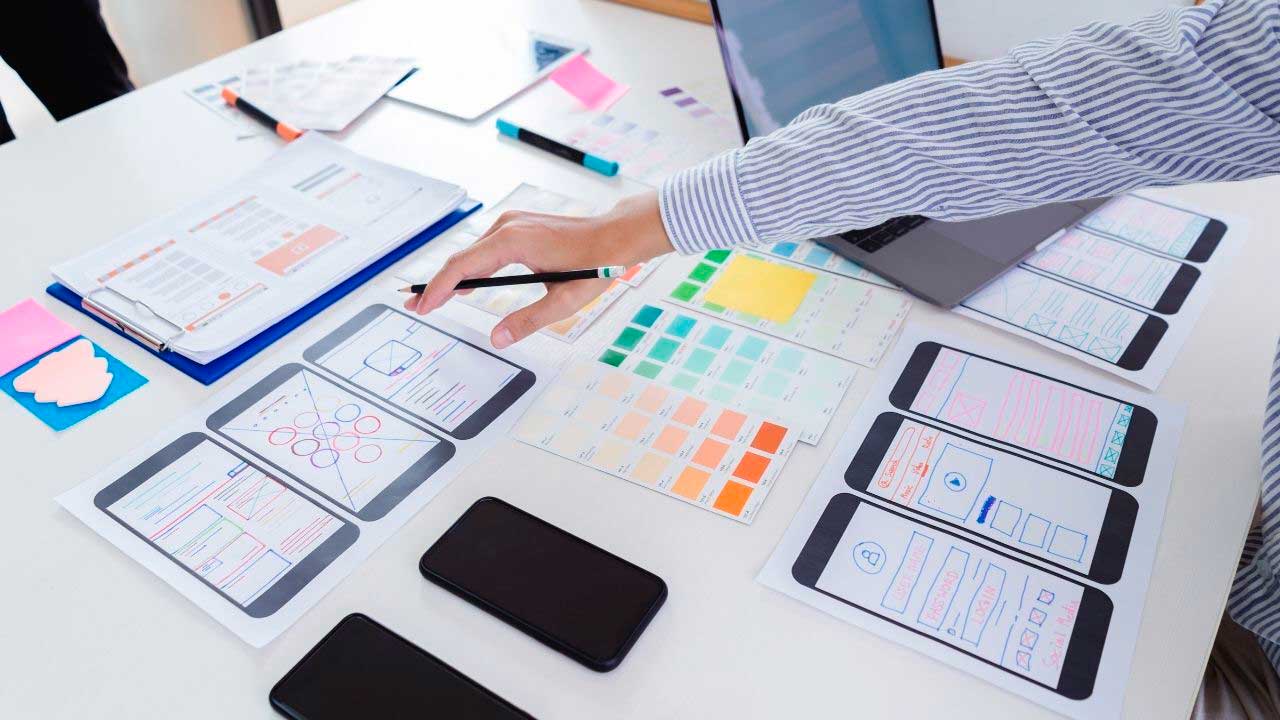
Credit: pixel506.com
Frequently Asked Questions
What Is User Experience Design?
User Experience Design (UXD) focuses on enhancing user satisfaction. It involves improving usability, accessibility, and pleasure in user interactions with products.
Why Is User Experience Design Important?
User Experience Design improves customer satisfaction and loyalty. It makes products more accessible and enjoyable, leading to increased engagement and conversions.
What Are The Key Principles Of Ux Design?
Key principles include usability, accessibility, simplicity, consistency, and user-centered design. These principles ensure a seamless and enjoyable user experience.
How Does Ux Design Impact Business Success?
Good UX Design enhances customer satisfaction. This leads to higher retention rates, better word-of-mouth, and ultimately increased revenue and business success.
Conclusion
Creating a good user experience is essential. It impacts how users feel. Positive experiences lead to satisfied users. This boosts engagement and loyalty. Design with empathy and simplicity. Understand user needs. Test and refine your designs. Keep improving based on feedback.
A great user experience is an ongoing effort. Stay committed. Your users will thank you.